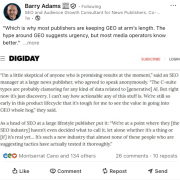
“Good SEO is good GEO.” That’s according to Google’s Danny Sullivan, a director within Google Search, and former search liaison
Generative engine optimization (or whatever the new acronym is for optimizing for AI search experiences) is the same core work SEOs have always done: creating unique, valuable content for people and providing a great page experience, he said.
Why we care. You can believe Google if you want. But we’ve tried to consistently say that we believe GEO is an emerging practice. That doesn’t mean it replaces SEO today or tomorrow – because SEO fundamentals matter and SEO is still not dead. But I also agree with Michael King’s assessment that SEO is deprecated. The future of Google and conversational AI search will be answers, not ranking, regardless of what Googlers say publicly today.
What he’s saying. Here’s some of what Sullivan said about SEO/GEO during his keynote at WordCamp US on Aug. 28:
“…If you don’t know what GEO is, it’s like the latest acronym, but like I can’t keep track each day. There’s a different one. But SEO, search engine optimization; GEO, generative engine optimization.
By the way, if you could dig it out when I was like in 2010, back when people were panicking then, I was like, you know, SEO doesn’t mean you get into the blue links on Google. SEO means you understand how people search for content and then you understand how to have your content there. And it could be everything from people asking a question to a voice device to people just opening up something on their phone or whatever.
So, the basic things have not changed. Good SEO is good GEO, or AEO, AIO, LLM SEO, or LMNOPO. So, they’re all fine. What I’m trying to say is don’t panic. What you’ve been doing for search engines generally, and you may have thought of as SEO, is still perfectly fine and is still the things that you should be doing. … Good SEO is really having good content for people.
… Are you saying write things in a clear way that people can understand? Cool. Like that’s just for people. All right.
Are you saying write about things that are unique or interesting? Cool. That’s good for people. And all we [Google] try to do is understand how our signals can align with things that are good for people.”
CTR question. During the audience Q&A, blogger Angie Drake said her organic search click-through rate has plummeted since AI Overviews launched, even though impressions are up (known as the great decouoling of search). She asked Sullivan what Google will do to compensate publishers who are losing clicks. Sullivan’s response:
Google has been unapologetic about zero-click factual answers (e.g., “What time is the Super Bowl?”) because users expect direct facts.
Google is committed to rewarding unique, valuable content and supporting the open web.
He said there will be “bumps along the way,” that feedback is heard within Google, and “it’s still part of what we’re going to be figuring out.”
Other takeaways. Some other data Sullivan shared:
Google AI Overviews have led to a 10% increase in searches in the U.S. and India.
Google does “up to 5,000 launches” (a.k.a., updates) per year. The last figure we had was 4,725, so not much has changed since 2022.
The keynote. Here is the full video. I’ve linked to the takeaways portion of Sullivan’s presentation, where he discusses GEO. Drake asks her CTR question starting at 45:06.
https://i0.wp.com/dubadosolutions.com/wp-content/uploads/2025/09/zf_sxldftby-KkLY6x.jpg?fit=1280%2C720&ssl=17201280http://dubadosolutions.com/wp-content/uploads/2017/05/dubado-logo-1.png2025-09-02 14:59:012025-09-02 14:59:01Google’s Danny Sullivan: ‘Good SEO is good GEO’
Google Ads now lets you select your business(es) by searching Google Maps for location assets / extensions. This addition should make it easier to manage existing and new location assets for your Google Ads campaigns.
More details. This change was spotted by Greg Kohler who posted a screenshot of the change on X and wrote:
“New (easier) way to add location assets (extensions) to your Google Ads campaigns – now you can search and select your business using Google Map.”
Joe Youngblood praised this change on X, saying:
“One of the single most agonizing parts of building out a new campaign or taking over an old account. This looks like it will fix it!”
Screenshot. Here is that screenshot:
More details. Google Ads has a help document that explains how to use it. It says:
If neither Google Business Profile nor Chain stores work for you, you can select up to 10 locations from Google Maps to link with your Ads account. These Google Maps locations must be yours, or they may be disapproved.
Go to Location manager within the Tool menu, under the Shared library.
Select the plus button, and choose “Our locations”.
Select Continue.
You can enter the physical address or a key phrase to search your locations and your wish to link with your Ads account. You may repeat the process to add up to 10 locations.
Select Continue.
No matter which location source you use when creating location assets, you can customize your locations further at the campaign or ad group level. You can choose to add all account-level locations, use just a subset of account-level locations using Location groups, or choose “No location asset” to keep the asset from showing for specific campaigns or ad groups.
Why we care. This can help you manage location assets for both existing and new campaigns. This seems like a big time saver for many advertisers who use Google Ads.
https://i0.wp.com/dubadosolutions.com/wp-content/uploads/2025/09/google-ads-location-assets-google-maps-1756746961-ldQjFA.jpg?fit=1129%2C582&ssl=15821129http://dubadosolutions.com/wp-content/uploads/2017/05/dubado-logo-1.png2025-09-02 14:05:452025-09-02 14:05:45Google Ads select location assets using Google Maps
Google has a new subtle but powerful feature in the Google Ads advertiser console to help you manage your campaigns. New checkboxes are available to let you select the campaigns you want and filter the view to only show those campaigns.
Previously, you were only able to select one campaign at a time, but now you can select multiple campaigns.
What it looks like. Here is the full screenshot from Thomas Eccel who posted the screenshot on LinkedIn:
Why we care. This new checkbox allows you to manually filter by more than one campaign at a time, allowing you to apply and manage your campaigns more efficiently. You can compare multiple campaign performance at the same time and save a huge amount of time when reporting, comparing, or managing these campaigns.
https://i0.wp.com/dubadosolutions.com/wp-content/uploads/2025/09/google-ads-checkboxes-selector-1756644140-nAiyUV.jpg?fit=800%2C800&ssl=1800800http://dubadosolutions.com/wp-content/uploads/2017/05/dubado-logo-1.png2025-09-02 13:52:382025-09-02 13:52:38Google Ads enhances campaign filters with new checkboxes
Google AI Mode got an upgrade to its large language models that enhances its ability to answer complex STEM questions. Plus, the responses should be “tighter, easier to scan and get to the point up front before elaborating,” Robby Stein, Google’s VP of Product at Google Search wrote.
This comes in time for the upcoming school year, with many kids starting school this week and some already starting a few weeks ago.
Very excited about this week’s AI Mode model update. We’re seeing big improvements for complex STEM questions– great for students heading back to school. Overall responses should also be tighter, easier to scan and get to the point up front before elaborating.
Srini Venkatachary, VP of Engineering at Google DeepMind, responded:
Really excited with this strong update in time for school year. Please send us your feedback.
Nick Fox, SVP, Knowledge & Information at Google, wrote on X:
AI Mode continues to ship & ship fast! This past week, we released a big under-the-hood upgrade to the model capabilities leading to much improved responses. Excited for you to see and feel the difference
Why we care. Google recently expanded AI Mode to 180 countries and territories and now more and more searchers have access to it. Google will continue to improve its models, with the aim of making AI Mode and its AI responses better.
Here is the latest improvement for AI Mode that Google has announced.
https://i0.wp.com/dubadosolutions.com/wp-content/uploads/2025/09/google-robot-teacher-classroom-1920-800x458-MtvxDZ.jpg?fit=800%2C458&ssl=1458800http://dubadosolutions.com/wp-content/uploads/2017/05/dubado-logo-1.png2025-09-02 13:17:352025-09-02 13:17:35Google AI Mode model improved for complex STEM questions, says Google
In the world of large language models (LLMs) in 2025, that’s a complicated question.
This article breaks down why by covering:
How LLMs like OpenAI and Gemini currently use search engines.
What search marketers should assume about where AI is heading.
The types of executional work that align with GEO.
What all of this means for prioritization and investment.
How LLMs stay current: Grounding and RAG
One of the fundamental challenges for the creators of LLMs (LLMs) like OpenAI or Claude is timeliness.
Their training data is static, locked to a specific cutoff date.
For example, the GPT-5 model’s knowledge cutoff is Sept. 30, 2024.
It’s more recent than GPT-4o’s cutoff of Oct. 1, 2023, but still not up to the present day.
Updating that training data is extremely costly, and it’s increasingly under public scrutiny – both for the resource-intensive nature of the process and the potential copyright issues it raises.
In my view, these large-scale training updates are becoming less and less likely over time.
So how do OpenAI, Claude, or Gemini keep their answers current?
They use retrieval-augmented generation (RAG), where the model enriches its responses by effectively “browsing” the web. ChatGPT relies on Bing, while Gemini draws from Google.
(There are signs Gemini doesn’t always use live results, but rather cached ones – that’s a whole other article, and one Dan Petrovic has already written smartly about.)
Grounding is a similar concept here, so for this article, we’ll treat it as the same “timely” method, even though there are important nuances in implementation.
What does this mean for SEOs and digital marketers deciding how much to invest in GEO?
Quite simply: we still need to prioritize traditional SEO first. RAG is a limited resource, and research shows:
Nearly 90% of ChatGPT search citations matched Bing’s Top 20 results.
It’s also important to note: when ChatGPT cites your brand, it doesn’t just pull from your website. It pulls from sources across the web.
The bottom line: you still need to master traditional SEO fundamentals to rank in LLM-driven search.
If you don’t have the authority to break into the Top 20 results, plus a diversified outreach strategy for press mentions and brand visibility, it will be much harder to surface in generative search.
As a low-risk, forward-looking, brand-focused SEO, you must plan for a future where generative search dominates, driving most traffic and revenue.
At that point, we must assume our websites and digital properties function primarily as enriched data feeds for LLMs.
It’s also critical to clearly define our brand for both Google and Bing, as strong, unambiguous entity signals will only grow in importance.
Optimizing your data infrastructure and strengthening brand signals – through consistent press mentions, directory listings, and owned media – are essential but resource-intensive tasks.
They demand coordination across departments that rarely collaborate and often require dismantling entrenched processes.
Because many businesses hesitate to make these foundational changes, you’ll need to account for the time required to execute the work and the time required to gain stakeholder alignment.
The work required to make your website as LLM-friendly as possible falls into two main buckets: technical and brand.
Technical tasks
Implementing thorough schema markup
This is a contentious topic.
LLMs don’t directly use schema markup in their training data (it’s stripped), and in their RAG process, everything is tokenized and likely broken into n-grams.
I’m not suggesting schema markup is a direct way to influence visibility in LLMs.
It’s a vehicle for helping Google and Bing understand:
Your website.
Its relationships.
Its products.
This builds your brand and search engines’ recognition of it, which should improve your visibility in results.
Technical copywriting
On navigational pages – like product collection pages or company listing pages if you’re a marketplace – create technical copy (done via AI with smart prompting if you’re working at scale) that summarizes the available resources.
For example:
“Our stationery includes 5 A5 dotted journals, 2 N1 blank journals, 25 stickers featuring animals, 4 stickers with curse words (all vinyl for weatherproofing and waterproofing), and 1 lapel pin.”
Notice how direct and technical this is. The clear formatting ties back to dependency hops in natural language processing.
I’m calling it out specifically because it’s one of the most direct ways for search engines and other bots to see and navigate the full scope of your website.
JavaScript fallbacks
This has always been important but has fallen by the wayside in recent years.
Training data for LLMs is static HTML. For the most part, they don’t render JavaScript.
Make sure to have functional JavaScript fallbacks.
Address technical debt
This will depend on your organization. It could mean:
Having a clear product sunsetting process.
Updating the codebase.
Removing the ghost codebase still sitting on your site from eight years ago that everyone built on top of rather than deleting.
Migrating from an SPA to a more search-friendly framework.
Removing deprecated scripts.
Auditing third-party tags to ensure they’re up to date and still in use.
All of these impact performance.
The technical strength and response time of your website will only grow more important.
Every piece of tech debt is an opportunity to improve.
If there’s only one takeaway, it’s this: keep investing the majority of your time and budget in traditional SEO, while dedicating a smaller portion to technical and brand tasks like those outlined above.
Look closely at the 1-5% improvements you’ve been putting off – things like:
Correcting the HTML heading hierarchy to match the site’s visual hierarchy.
Fixing internal links so they point directly to final URLs instead of redirect chains.
Cleaning up your XML sitemap.
Removing deprecated libraries and unused WOFF files.
This “spring cleaning” and tech debt cleanup should be a priority.
Add in the brand work as well, since it strengthens traditional search today and also lays the groundwork for an LLM-led search future.
If you don’t already have regular reporting in place for stakeholders and leadership, create it now.
There’s a perception that large language models are evolving rapidly and changing everything at once.
That isn’t entirely true – but we do need to plan.
Establishing a cadence of reporting and education means that when real shifts do happen, your stakeholders will already be aligned and ready to support the work.
Finally, treat GEO/AI optimization as roughly 20% work.
This means building systemic schema layers across your organization and creating structured connections in the machine’s native language – code.
Start with:
Conversations.
Proofs of concept.
Pilot implementations.
Done properly, this work should have no negative impact on your business metrics, and it builds support for more holistic optimization over time.
Going all in on LLM-specific tactics isn’t the best use of your resources today.
Instead, treat it as complementary work – something that strengthens your technical and brand foundation while preparing you for a future where generative search plays a central role.
https://i0.wp.com/dubadosolutions.com/wp-content/uploads/2025/09/Source-Barry-Adams-on-LinkedIn-XYOUg7.webp?fit=549%2C538&ssl=1538549http://dubadosolutions.com/wp-content/uploads/2017/05/dubado-logo-1.png2025-09-02 13:00:002025-09-02 13:00:00GEO and SEO: How to invest your time and efforts wisely
It’s fragmented across search engines, social platforms, paid ads, and AI tools, creating a complex user journey that’s harder than ever to track.
As behavior shifts with these new technologies, search marketing is evolving in response.
Yet while the platforms, tools, and touchpoints keep changing, the core principles of effective marketing remain the same.
Marketers who stay grounded in these fundamentals will be best equipped to adapt and grow.
Here are nine timeless marketing principles that will hold steady – no matter how search evolves.
1. Focusing on search intent: Why people search
Where people search and find information will continue to change over time as preferences for LLMs, social media, or video content shape where people go for answers.
Focus on the why behind a search – the intent driving it.
The key question is whether your content aligns with that intent.
If it doesn’t, you’re overlooking a critical driver of user behavior.
When content matches search intent, users immediately recognize its value and engage, which is why intent should remain central to your marketing strategy.
2. The lasting value of brand recognition and loyalty
Even as AI continues to drive change in how companies reach their audiences, brand recognition and loyalty remain important pillars of long-term engagement and growth.
Discovery channels are shifting as people find brands through social media, search engines, paid ads, email, and more.
That’s why it’s important to continually reassess the customer journey and understand where your audience is finding you.
After discovery, your job is to highlight your unique value – what sets you apart from competitors and how you provide real value to your audience.
Keep asking yourself:
Why should someone choose my brand?
What makes us stand out?
The clearer and more consistently you communicate this in the spaces that matter, the more you’ll earn trust, recognition, and reliability – all of which shape how people respond to your brand.
Brand loyalty isn’t automatic. It’s something you earn by building real relationships with your customers and consistently providing value.
Loyalty creates long-term stability and growth, even as platforms and algorithms continue to shift.
While search intent and brand recognition can attract new visitors, loyalty turns impressions into conversions and builds lasting customer lifetime value.
3. Knowing and understanding your audience
Beyond search intent and branding, truly knowing your audience is essential for long-term marketing success.
Without that insight, you risk falling into “spray and pray” campaigns that waste resources and fail to connect.
Building clear audience personas helps you decide not just what campaigns and content to create, but how to present them in ways that resonate.
That means understanding who your audience is, what motivates them, their pain points, their values, and where they spend their time.
These insights form the foundation of a strategy built to genuinely connect with your audience.
5. Customer service and experience drive perception
Today, customer service is inseparable from brand experience.
Every interaction – whether answering a support ticket or replying to a social media comment – shapes how people perceive your credibility and value.
Testimonials and reviews create a powerful feedback loop: one story sparks another, influencing how others view your brand.
Campaigns can drive visibility, but audiences still turn to peer reviews on platforms like Reddit to validate those impressions and decide whether to trust you.
Audience sentiment has become its own form of publicity.
With user-generated content (UGC) shaping perception and AI systems relying on reviews and sentiment signals to recommend brands, customer experience is now a direct driver of both reputation and visibility.
A core principle that hasn’t changed is the need for an optimized user experience.
When someone lands on your site, the page should minimize friction in the buying journey.
Whether visitors arrive through ads or organic search, they need clear conversion paths that guide them smoothly forward.
Audiences expect ease and clarity when looking for information or taking action.
Slow load times, unnecessary clicks, or confusing layouts increase drop-offs, abandoned forms, and carts – leaving users frustrated.
A good user experience makes the journey to conversion as effortless as possible.
Done well, it not only boosts conversions but also builds satisfaction and trust.
7. Mobile-first experiences: Meeting users where they are
AI may be transforming how people search, but mobile devices remain the primary way users access and engage with brands.
For many, the first interaction with your brand happens on a phone.
That’s why user experience must extend beyond conversion paths.
It also has to be fully optimized for mobile. Otherwise, you risk frustration, lost trust, and missed conversions.
Mobile users abandon sites that load slowly, require pinching and zooming, use hard-to-tap buttons, or rely on clunky forms.
Even a few seconds of delay or disruptive layout shifts can cause drop-offs.
And because search engines prioritize mobile-friendliness, optimizing for mobile isn’t just about usability. It also directly impacts rankings and visibility.
8. Accessibility is essential
Accessibility is a core part of creating inclusive experiences for your entire audience.
In the U.S., it’s also a legal responsibility.
Making your site accessible means adding features like:
Screen reader compatibility.
Alt text for images.
Strong color contrast.
Keyboard navigation.
If accessibility is overlooked, you risk excluding parts of your audience and facing ADA lawsuits.
But when you design with accessibility in mind, you reach more people, strengthen trust, and ensure everyone can engage with your brand.
9. Quality content and authority still define success
No matter how search evolves, quality content and authority remain the foundation of visibility and trust.
Algorithms may shift and discovery channels may change, but users will always value content that is accurate, relevant, and genuinely helpful.
Product pages. Ads. Emails. Headlines. Every word you publish either builds momentum or loses it. Great ecommerce copy does more than describe a product. It earns trust, sparks emotion, and clears doubt. Most importantly, it helps someone say yes with confidence. This guide includes 20 practical, proven tips to sharpen your copy across strategy, product pages, persuasion, and retention. They’re not theory. Just tested techniques from brands that convert.
And there’s more: Want the full 40? Get the 20 bonus tips straight to your inbox by signing up here.
How to choose the right copywriting framework and emotional trigger
Before you write, choose two things:
A framework to guide structure
An emotional trigger to shape tone and persuasion
These decisions will shape every line of your copy.
Copywriting frameworks
1. AIDA: Attention, Interest, Desire, Action
AIDA is the foundational copywriting framework that guides prospects through a systematic journey from awareness to conversion.
Best for: Landing pages, ads, hero sections.
Why it works: It grabs attention quickly, builds curiosity, then shifts momentum toward a clear action.
Example: Selling a portable espresso maker
Attention: “Brew perfect espresso anywhere.”
Interest: “No plugs, no bulky machines, just fresh coffee in your backpack.”
Desire: “Get café-level crema in 90 seconds flat.”
Action: “Order now and take 20% off your first brew.”
2. PAS: Problem, Agitation, Solution
PAS is the emotional powerhouse that transforms pain points into urgent buying decisions by first identifying problems and discomfort and presenting a solution.
Best for: Pain-point-driven products or comparison pages.
Why it works: It starts by naming the problem and digging into the frustration, then offers your product as the fix.
Example: Selling an anti-theft travel backpack
Problem: “Worried about pickpockets on your next trip?”
Agitation: “One stolen wallet can ruin your entire vacation and most zippers do not stand a chance.”
Solution: “Our backpack has cut-proof fabric, hidden zippers, and lockable compartments to keep you safe on the move.”
3. BAB: Before, After, Bridge
BAB leverages aspirational storytelling to showcase transformation, painting a vivid picture of life improvement before positioning your solution as the bridge to that better future.
Best for: Lifestyle or transformation-focused products.
Why it works: It shows life before and after the product, then connects the dots with your offer.
Example: Selling a fitness app
Before: “You used to skip workouts, feel sluggish, and waste time guessing what to do at the gym.”
After: “Now your workouts are short, focused, and actually fun to stick with.”
Bridge: “All it took was our guided 20-minute training plans built for real people and real schedules.”
Emotional triggers
Pathos: Emotion
Best for: Beauty, lifestyle, wellness, identity-driven products.
Why it works: It speaks to how people want to feel or who they want to become.
Example: Selling sustainable clothing
“You are not just buying a shirt. You are choosing to show up for the planet and look good doing it.”
Logos: Logic
Best for: Tech, tools, performance-based products.
Why it works: It appeals to rational decision-making, like saving time, money, or hassle.
Example: Selling noise-canceling headphones
“Blocks 95% of background noise so you can focus faster and work smarter, backed by lab testing and a 2-year warranty.”
Ethos: Trust and credibility
Best for: Financial, health, professional, or safety-related products.
Why it works: People rely on authority or reputation to reduce risk.
Example: Selling skincare
“Developed by dermatologists and trusted by over 1 million users worldwide because your skin deserves expert care.”
Strategies for clearer copy
Strategic copywriting transforms scattered messaging into focused communication that guides prospects smoothly through their buying journey.
Let structure guide flow: AIDA, PAS, BAB. Pick one and follow it through. Good copy is linear, not scattered.
Tone should match buyer intent: New visitor? Use clarity and reassurance. Returning shopper? Bring speed and confidence.
Give each section one job: Trying to explain, reassure, and upsell in a single block? Nothing will land. Break it up.
Answer doubts before they form: If shipping time, fit, or returns are common questions, surface them early in the copy.
Use a mix of logic, emotion, and visuals: Show how the product works, how it feels, and how it fits their life.
Product copywriting prioritizes outcome-driven messaging that shows customers exactly how their lives improve. It moves beyond features to paint vivid pictures of real-world usage scenarios.
Lead with the outcome: Start with what changes for the customer. Then explain how.
Put the product in a real moment: Don’t say “compact.” Say, “Fits in your jacket pocket on a rainy commute.”
Use bullets to speed up decisions: List what is included, what it is made of, and who it is for. Keep it snappy.
Write purposeful alt text: Describe what the image shows and how it ties to the benefit. Example: “Man hiking with a 40L waterproof pack. Rain visible, straps tight.”
Flag missing alt text during content analysis: It helps keep accessibility and SEO aligned without extra efforts.
What most ecommerce copy gets wrong
A well-written text is polite. Descriptive. Sometimes clever. But it rarely decides or helps in conversion.
A Strong copy does not try to please everyone. It tells the right person, “This is for you.” It dares to be specific. It has an inviting glare and confidence to emphasize what matters and ignore what does not.
Copywriting hooks and earns attention. It says, “Here it is, look.” SEO attracts keen onlookers.
Good copy makes them stop and persuades them to be curious about more. The best ecommerce brands leverage both. Tools like Yoast SEO bridge the gap between conversion-driven copy and search visibility.
Persuasion tips that feel natural
Natural persuasion in copywriting focuses on building genuine connections through transparent communication rather than manipulative tactics.
Start strong: Put your main benefit above the fold. Do not hide the reason to care.
Use microcopy to ease tension: “No hidden fees” next to pricing. “We will never charge without asking” near the credit card field.
Only create urgency if it is real: “Only 3 left” works if it is true. False scarcity breaks trust.
Make subheads sell, not just organize: “Why 10,000 customers switched” says more than “Features.”
Precision beats cleverness: “Save 3 hours a week” converts better than “Boost productivity.
Strategy Retention tips to boost trust
Customer retention copywriting transforms one-time buyers into loyal advocates through strategic communication that demonstrates ongoing value and genuine care.
Make thank-you pages do more: Confirm next steps. Offer a bonus. Link to a useful guide. Do not waste attention.
Follow up with something useful: A setup guide, a pro tip, or a behind-the-scenes story is more valuable than a request for a review.
Treat onboarding like conversion 2.0: “You are 60 seconds away from setup” is better than “See instructions.”
Write policies with warmth and clarity: “If it does not fit, send it back. No stress.” Sounds like a human. That is the point.
Show loyalty some love: A personal thank-you after the third purchase can mean more than a 10 percent coupon.
Final thoughts
Forget clever. Go for clarity. Don’t be smart. Leverage curious questions. Think about what a customer wants.
Let them feel seen and heard. Forget perfection; strive for a connection. Keep your words simple. If your words help the right person say yes and the right searcher find your page, they have already done their job. That is where strong copy meets smart SEO.
Want 20 more copywriting techniques that drive conversions?
In Part 2, we’ll go deeper into:
Advanced copywriting funnel;
High-impact product formatting ideas;
Persuasive phrasing that feels personal to the reader;
Loyalty copy that turns onlookers into trusted comrades.
Get the full 40 ecommerce copywriting tips
Subscribe to our prepare for Black Friday newsletter to get an interactive checklist, ecommerce tips, and SEO guidance to help you through the seasonal rush!
We care about the protection of your data. Read our privacy policy.
Thinking about building a website? Whether you are a small business owner, a freelancer, or launching a side project, one of the first questions you will want answered is: how much does it cost to build a website? This is not just about curiosity, understanding your website costs early on can help you budget effectively and avoid any unpleasant surprises.
The truth is that the answer is rarely simple. Ask ten business owners about their website building costs and you will probably get ten completely different answers. That is because website costs can range from almost nothing to tens of thousands of euros. The variation comes down to what you need your website to do. A small brochure site with a few pages can be built on a modest budget, whereas an ecommerce store with thousands of products and secure payment facilities will always cost more. The good news is that once you understand where the costs lie, you can make better decisions. And while Yoast SEO will not directly reduce your build costs, it will help you avoid expensive SEO mistakes, improve site performance, and keep your long-term marketing budget under control.
What are you actually paying for when building a website?
Design and user experience: This sets the tone for how visitors feel about your site. Good design is more than colors and fonts, it is about navigation, site structure, and encouraging visitors to stay and explore. Read more about user experience.
Development: Turns your designs into a working website. A simple build will cost less, but advanced features or integrations push the price up.
Domain and hosting: These two are essential and unavoidable. Your domain name generally costs between €10 and €50 per year and hosting keeps your site live. Shared hosting is cheapest, but dedicated hosting provides better performance and enhanced security. As a recommendation, Bluehost is a great choice for both domain registration and hosting. On top of that, it also works extremely well with WordPress.
Content: A blank page isn’t going to keep visitors on your site for very long, so you’re going to need to have something to show them. You can of course do your own content, but professional content creators can be useful in getting more conversions.
SEO: This ensures your site gets found. You can do it yourself, but Yoast SEO helps simplify the process and can reduce costs by guiding you on how to optimize pages as you write.
Here’s a chart to explain the above in a quick-check guide:
Area
Description
Design
Custom visuals, layout, user interface (UI), mobile responsiveness
User experience (UX)
Navigation logic, site structure, call-to-action placement
Development
Code, content management system (CMS), plug-ins or features
Domain and hosting
Your website’s address and where it lives online
Content and SEO
Written pages, blog posts, metadata, and optimizations
Ongoing maintenance
Plugin updates, security, backups, fixes
Upfront costs:
Of course, none of this comes for free, unless there are some things you can do yourself like copywriting or photography. This will still cost you in terms of time though, so it may be worth considering hiring a professional if there are other areas of your business that you would rather focus on. With that in mind, let’s take a quick look at some upfront costs that you will only have to pay for once at the very start.
Obviously, once your website is up and running, that’s not the end of the story. You are presumably here for the long-term and that means there are going to be recurring costs. These cover things like hosting, so your site can stay live, maintenance, to keep everything secure and updated, and you’ll need to continually post new content to engage with your site’s visitors.
Most people spend their time focusing on the look and feel of their site and while that is important, it’s not the only thing to consider. It’s understandable that things like legal technicalities and CDNs are not front-of-mind when you’re excited about growing your business but it is necessary. That means you’ll need to complete these, often overlooked, tasks to make sure that you remain on track for growth and stay compliant.
Type of cost
Low estimate
High estimate
Marketing & ads
€100/month
€10,000+/month
Accessibility & legal compliance
€200
€5,000+
Scaling & performance upgrades (plugins, CDN, extra development work)
€100
€10,000+
Website building options
There are three main ways to build a site, and your choice here will have an impact on the final cost.
1. DIY builders (like Wix or Squarespace)
These platforms, as well as some others, will let you build a site from scratch without the need for any technical skills. They’re affordable, quick to set up and ideal for portfolio sites, hobby sites, or small businesses. If you are using these site builders for business, you might find them limiting when you need to scale or want more advanced SEO.
2. WordPress + Yoast
For most successful small and medium sized businesses, WordPress is an excellent solution as it’s flexible, scalable, and widely supported. What’s more, when you pair it with Yoast SEO for WooCommerce you can start publishing optimized content from day one, making your online store more visible instantly. This makes it more affordable in the long run as there’s no need for an agency, and you can add features as you grow rather than having to rebuild every time.
3. Custom-built website via an agency
For complex businesses like advanced ecommerce or security services, a custom-built site is their best option. It’s the most expensive option but gives you complete control, giving you everything you want without having to compromise on anything. However, you may find that tailored code and features will cost a lot more.
Watch out for these hidden costs
One common misconception is that the costs end when your site goes live. That’s just not true, in fact, some of the most expensive problems show up after launch. These can include:
Non-converting content: You can have the most beautiful website in the world but if it’s not pulling in paying customers, there’s a problem. Try investing in professional copywriting and SEO-friendly content that will ensure visitors take action.
Dropped traffic: Starting off with bad SEO can really hamper your traffic. Without help, it’s easy to make errors that could take months to fix. This is very much a case of prevention is better than cure.
Technical debt: Sites built on outdated technology or poorly coded templates may work at first but become costly to maintain or upgrade after a while.
Accessibility cost: It’s important that you make sure your site caters to all, especially those who may have visual or audio impairments.
Legal costs: There are certain legal requirements to take care of. These aren’t just there to protect the customer; they protect you too. So, don’t forget that you’ll need things like a cookie consent tool and a term of service policy.
How Yoast saves you money (over time)
Yoast isn’t about saving you money on upfront costs; what it does is prevent expensive mistakes. It will save you money over time though as you’ll benefit from reduced costs of ongoing SEO and content marketing.
To get more specific though, Yoast’s real-time SEO guidance helps you write better, optimized content without needing to hire a writer. In addition, the Readability analysis and Internal linking suggestions are two features that help to reduce bounce rates by making your content perform better, which literally translates into more conversions. On top of this, adding structured data manually is time consuming and costly. Yoast automates much of this, giving you rich search results without developer costs. And if that’s not enough to whet your appetite, there are free and premium options.
Feature
How it saves you money
Real-time SEO guidance
Write better content, faster, without hiring an SEO expert
Readability analysis
Engaged readers means more conversions
Schema & structured data
Get results without coding knowledge
Internal linking suggestions
Boost traffic to key pages without external help
Budgeting tips for small business owners
By spending smart, you can get big results for less. Here are a few things to keep in mind:
Start with clarity, not complexity: Fancy animations might look nice, but if they confuse your visitors, they’re not worth the price.
Spend more on content than code: Great content = better SEO = better ROI.
Invest in tools that scale with you: WordPress and Yoast both grow with your business.
Plan for the long game: Don’t treat launch as the finish line. Content updates and SEO tweaks are ongoing.
Ecommerce vs. general website: does it change the cost?
Yes, dramatically. Ecommerce sites need:
Payment gateways.
Product listings.
Inventory management.
Legal disclaimers.
Stronger performance and security.
Expect to pay more, sometimes a lotmore, for development, plugins, and maintenance. But again, tools like Yoast SEO help make your product pages more visible and your content more persuasive.
Platforms like WooCommerce give you a practical and flexible way to run your online store without having to reinvent the wheel. But the real key to success is visibility, after all, if people can’t find you, they can’t buy from you. And this is what Yoast SEO for WooCommerce does best.
Ultimately, what matters about your site most is what it does for your business. With WordPress and Yoast, you can create a professional site that looks great, enhances your online visibility, and grows with your business, without breaking the bank. One of the best things you can do to really set the wheels in motion now though is to go to this guide WordPress for beginners training course and learn how to put yourself and your company first.
Good SEO isn’t a luxury; it’s a smart investment, so start today. Good luck!
http://dubadosolutions.com/wp-content/uploads/2017/05/dubado-logo-1.png00http://dubadosolutions.com/wp-content/uploads/2017/05/dubado-logo-1.png2025-08-29 15:53:542025-08-29 15:53:54How much does it cost to build a website?
If you’re investing time and budget into SEO, you’ll want to know if it’s actually delivering results. That’s where SEO reporting tools come in. They take the guesswork out of your strategy by showing you what’s working, what isn’t, and where you should focus your efforts next. Without them, you’re left with assumptions, anecdotes, and gut feeling. That might work for a while, but it’s no way to grow a business.
Whether you need a free SEO report, a quick SEO report generator, or a professional-level dashboard for clients, the right tool will help you measure progress and make smarter business decisions. A solo blogger might just want to know which posts are attracting clicks, while a global agency might need to present polished reports to dozens of clients each month. The scale is different, but the principle is the same: reporting keeps you honest about what’s happening.
An SEO reporting tool collects data about your site’s search engine visibility and turns it into insights. Think of it as your SEO dashboard. At its simplest, it might show which keywords your pages are ranking for. At its most advanced, it can track backlinks, crawl your entire site for errors, and pull together complex competitor benchmarks.
These tools save time by pulling in data automatically, but they don’t replace critical thinking. You still need to interpret what the numbers mean and decide what action to take. A sudden dip in traffic, for instance, could be caused by a technical error, a Google algorithm update, or even seasonality in your industry. The tool will show you the dip; it’s your job to work out why.
Some tools focus on one particular task, like crawling your website, while others are built as all-in-one suites. Below, we’ll look at 10 of the best SEO reporting tools available today, covering free and paid options for every kind of user.
Summary: best SEO reporting tools at a glance
Tool
Best for
Pricing
Google Search Console
Beginners & site owners
Free
Yoast SEO Dashboard
WordPress users
Free
Google Analytics
Behavior & conversion tracking
Free
AgencyAnalytics
Agencies managing multiple clients
From $12/month per client
Semrush
All-in-one professional SEO
From $139.95/month
Ahrefs
Link building & competitive research
From $27/month
Moz Pro
Beginners & SMBs
From $49/month (30-day free trial)
Screaming Frog
Technical SEO & crawling
Free (500 URLs) or unlimited for £199/year
Mangools
Solo marketers & freelancers
From €19.90/month when billed annually
BrightLocal
Local SEO & GBP management
From $29/month
10 SEO reporting tools to choose from
1: Google Search Console (free)
Best for: Website owners who want a free, reliable way to track search performance and identify technical issues directly from Google.
Google Search Console is one of the most essential SEO reporting tools available, and it has the distinct advantage of being completely free. It tells you how your website performs in Google Search, showing impressions, clicks, and rankings for the queries that bring visitors to your site. It also alerts you to crawl errors, indexing problems, and mobile usability issues, so you can catch technical problems before they affect your rankings.
The data here is particularly valuable because it comes straight from Google. You’ll see which search terms trigger impressions, how often users click your site, and which pages are performing well. This makes it an excellent starting point for beginners, but it’s also a must-have for seasoned professionals. The drawback is that historical data is limited, and it doesn’t show you how competitors are performing. But for pure insight into your own search presence, it’s unmatched.
Key features: Direct performance data, coverage and indexing reports, Core Web Vitals.
Best for: WordPress users who want in-editor SEO guidance and ongoing optimization tracking.
Of course, we need to mention our own tool. And, yes, it’s right up at the top of the list but hey, we’re very proud of it. The Yoast SEO Dashboard sits right inside WordPress and gives you feedback as you write. It tracks readability, internal linking, and keyword optimization, helping you improve your content before you hit publish.
With the new Site Kit by Google integration, the dashboard becomes even more powerful. You can pull in data from Google Search Console and Google Analytics, meaning you don’t need to keep switching tabs to see how your content is performing. Instead, you get real-time feedback in the editor and clear reporting inside your WordPress dashboard.
This makes it especially useful for content teams who want SEO baked into their publishing process from the start. Rather than writing first and optimizing later, the Yoast SEO Dashboard guides you as you go, making it easier to publish content that performs.
Here’s why you’ll love this:
One view of GSC and GA metrics alongside Yoast SEO Dashboard and readability results.
Quickly spot content that needs work and act in context.
Lightweight workflow for both editors and SEO professionals alike.
Key features: Real-time SEO analysis, Google Site Kit integration, internal linking tools.
Pros: Easy to use, directly in WordPress, improves content before publishing.
Best for: Marketers and site owners who want to understand on-site user behavior and measure the impact of SEO on conversion.
Where Google Search Console shows how users arrive at your site, Google Analytics shows what they do once they’re there. It’s a natural partner to GSC and together they provide a complete picture of SEO performance. Analytics lets you track user behaviour, see how long visitors spend on your site, and measure conversions.
One of its biggest strengths is the ability to segment traffic. You can look specifically at organic users and see how they behave differently from paid or social visitors. You can also set up goals to track the actions that matter most, such as filling out a contact form or completing a purchase. This makes Google Analytics invaluable if you want to connect SEO efforts to business results.
The learning curve is steeper than with some other tools, particularly since the rollout of GA4, but once you master it, the insights are worth it. And of course, the price is unbeatable: it’s completely free.
Pros: Free, deep insights, connects SEO with results.
Cons: Steep learning curve.
Price: Free.
4: AgencyAnalytics (paid)
Best for: Agencies looking for automated, white-label reporting solutions for multiple clients.
AgencyAnalytics is designed with agencies in mind. If you manage SEO for multiple clients, you’ll know how much time is spent building and delivering reports. AgencyAnalytics takes away much of that pain by automating the process. You can integrate it with platforms like Google Search Console, Analytics, and even social media channels, then deliver white-label reports directly to clients.
The main appeal is the ability to customize dashboards and reports with your own branding. For agencies, that’s a big deal because it saves hours of manual work while still giving clients a polished experience. Reports can be scheduled to go out automatically, meaning your team can focus on strategy instead of spreadsheet wrangling.
This isn’t a tool for solo bloggers or small business owners, it would be overkill, but for agencies with a portfolio of clients, it can be transformative. The pricing is based on the number of clients, starting from around $12 per client per month, which makes it scalable as you grow.
Pros: Saves agencies time, professional client-ready reports, scalable.
Cons: Overkill for solo bloggers or small businesses.
Price: From $12 per client/month.
5: Semrush (free & paid)
Best for: Agencies and SEO professionals who need a comprehensive suite of tools for competitive analysis and reporting.
Semrush is one of the most widely used SEO platforms in the industry. It’s not just a reporting tool, it’s a full suite covering keyword research, competitor analysis, backlink audits, and site crawls. The reporting features are particularly strong, allowing you to track visibility trends, rankings, and content performance over time.
For agencies and professional SEOs, Semrush is a powerhouse. It provides granular detail about competitors, making it easier to benchmark your performance and identify gaps. Content audits help you spot underperforming pages, while backlink reports show you where your link-building strategy needs work. Semrush even integrates with Yoast SEO, offering a seamless workflow for WordPress users.
The free version is limited, so most businesses will need a paid plan to get full value. At $129.95 per month, it’s not cheap, but the breadth of functionality makes it a worthwhile investment for those serious about SEO.
Key features: Competitor benchmarking, keyword and backlink reports, site audits.
Pros: Huge dataset, strong competitor analysis, integrates with Yoast.
Best for: Businesses focused on link-building strategies and competitive research.
Ahrefs has built its reputation on having one of the largest and most accurate backlink indexes available. If link-building is part of your strategy, this is often the tool of choice. But Ahrefs does more than just backlinks. It also provides keyword research, site audits, and rank tracking, making it a comprehensive SEO platform.
The reports are particularly well-designed, making complex data easy to understand. This is useful when you need to share results with stakeholders who might not be familiar with SEO jargon. It’s also popular for competitor analysis, giving you a clear view of how others in your space are performing and where you might gain an advantage.
The main downside is cost. With plans starting at $99 per month and no free tier, it’s not the most accessible option for beginners. But for businesses that prioritize link-building and want robust competitive insights, it’s one of the best.
Pros: Accurate, user-friendly reports, powerful for link-building.
Cons: Costly, free tier is limited.
Price: Limited free tools, Starter plan $27/month.
7: Moz Pro (free trial & paid)
Best for: Beginners and small businesses who want straightforward reporting and keyword tracking.
Moz Pro offers a balance between beginner-friendly usability and professional-level features. It provides keyword tracking, site audits, and link analysis in an interface that’s easier to navigate than some of the heavier platforms. For small businesses and those new to SEO, this can be a big advantage.
One feature that stands out is the Keyword Explorer, which helps you understand not just search volume but also difficulty and potential click-through rates. This makes it easier to prioritize which keywords are worth targeting. Moz Pro also provides link metrics, though its index is smaller than Ahrefs or Semrush.
The company offers a 30-day free trial, which is generous compared to most competitors. After that, pricing starts at $99 per month. For many small to medium businesses, it hits the sweet spot of offering enough depth without overwhelming complexity.
Key features: Keyword Explorer, site audits, link metrics.
Best for: SEOs and developers who need to quickly identify technical issues and improve site structure.
Screaming Frog is a different kind of SEO reporting tool. Instead of dashboards and trend lines, it’s a desktop crawler that scans your site much like a search engine does. The result is a detailed breakdown of every URL, title tag, meta description, heading, and link.
For technical SEO audits, this tool is hard to beat. The free version lets you crawl up to 500 URLs, which is enough for many small sites. The paid version adds advanced features like JavaScript rendering, scheduled crawls, and integrations with Google Analytics and Search Console.
It’s not the most user-friendly option for beginners, but for SEO specialists and developers, it provides unparalleled insight into the technical health of a site. At £259 per year, it’s also one of the more affordable professional tools.
Key features: 500 free URL crawl, GA & GSC integration, advanced features in paid version.
Pros: Extremely detailed, industry standard for technical SEO.
Best for:Freelancers and small teams who want a low-learning-curve SEO toolset.
Mangools is aimed at marketers and freelancers who want powerful SEO tools without the steep learning curve. The suite includes keyword research, SERP analysis, rank tracking, and backlink monitoring, all presented in a clean, simple interface.
Reporting is straightforward, focusing on clarity rather than overwhelming detail. For solo marketers or small teams, this simplicity is a feature rather than a limitation. You don’t need to spend weeks learning the tool, you can start getting useful insights almost immediately.
While it doesn’t have the breadth of Semrush or Ahrefs, Mangools is much more affordable, starting at just under €30 per month. That makes it an attractive option for those who need solid SEO data without enterprise-level complexity.
Best for: Local businesses and agencies managing multiple Google Business Profiles.
BrightLocal is built specifically for local SEO. If your business relies on being found in a particular town, city, or neighborhood, this tool is tailor-made for you. It tracks local rankings, monitors reviews, checks citations, and even audits Google Business Profiles.
The reports are practical and easy to share, making them ideal for agencies managing multiple local clients. BrightLocal also provides tools for managing online reputation, which can be just as important as rankings in driving local business.
For businesses competing on a local level, it’s hard to find a better option. Prices start from $29 per month, making it relatively affordable compared to the big all-in-one suites.
Key features: Local rank tracking, citation checks, review monitoring.
Pros: Affordable, perfect for local businesses, practical reporting.
Before deciding on a tool, it’s worth asking yourself what you really need. If you’re a solo blogger, Google Search Console and Yoast SEO might be all you need to keep track of performance. If you’re running an agency, automation and client reporting might make AgencyAnalytics or Semrush a better fit.
Think about your budget too. Free tools go a long way, but paid tools offer depth and convenience that free tools often can’t match. Also consider how comfortable you are with data. Some platforms are designed to be beginner-friendly, while others assume a level of expertise.
The good news is that most paid platforms offer free trials. That gives you a chance to experiment and see which tool feels right before committing long-term.
Turn insights into action
SEO reporting tools do more than track performance, they shape your strategy. They tell you what’s working and highlight the areas that need attention. But tools don’t make the decisions, the real value comes from how you interpret the data and act on it. So whether you’re just getting started with Google Search Console, refining your content with Yoast SEO, or managing enterprise-scale campaigns in Semrush, the goal is the same: turn insights into action.
http://dubadosolutions.com/wp-content/uploads/2017/05/dubado-logo-1.png00http://dubadosolutions.com/wp-content/uploads/2017/05/dubado-logo-1.png2025-08-29 15:18:062025-08-29 15:18:0610 free and paid SEO reporting tools for 2025
Google’s AI Overviews and AI Mode and OpenAI’s ChatGPT often give consumers different brand recommendations – a potential warning sign for marketers chasing AI visibility – according to a new BrightEdge analysis.
The big picture. ChatGPT and Google’s AI Mode and AI Overviews disagreed on brand recommendations nearly two-thirds of the time (61.9%), according to BrightEdge’s analysis of tens of thousands of identical prompts.
By the numbers. Just 33.5% of queries included brands across all three platforms, and only 4.6% had no brands mentioned anywhere. Other key findings:
Google AI Overviews dominate: Google’s AI Overviews surfaced brands in 36.8% of queries, while ChatGPT led in just 3.9%.
Brand density: Google AI Overviews averaged 6.02 brands per query, more than 2.5x higher than ChatGPT’s 2.37 and far ahead of AI Mode’s 1.59.
Silence rates: ChatGPT offered no brand mentions in 43.4% of queries. Google AI Mode stayed silent 46.8% of the time, compared to just 9.1% for AIO.
The citation paradox. The study also uncovered stark differences in citation behavior:
ChatGPT mentions more than it cites, with 3.2x more brand mentions (2.37) than citations (0.73).
Google AI Overviews cites far more than it mentions (14.30 citations vs. 6.02 mentions).
Google AI Mode shows an even bigger gap — 6x more citations than mentions (9.49 vs. 1.59).
This data may suggest that ChatGPT’s responses lean heavily on its training patterns, while Google emphasizes visible source attribution.
Where platforms align. The rare moments of brand alignment depended on query intent:
Compare queries: 80% same-brand agreement.
Buy queries: 62%.
Where queries: 38%.
Best queries: 23%.
Industry breakdown. Disagreement rates also varied by sector:
Healthcare: 68.5%
Education: 62.1%
B2B Tech: 61.7%
Finance: 57.9%
Ecommerce: 57.1% (lowest)
Why we care. For brands, these findings highlight a volatile AI landscape where visibility is far from guaranteed – and often inconsistent. As BrightEdge notes, the fragmentation creates “massive untapped visibility opportunities” for companies optimizing for generative search.