Google Ads rolled out a new AI Max experiment type for Search campaigns, aimed at streamlining how advertisers test AI-powered features – without duplicating campaigns.
Why we care. Traditional experiments require creating campaign copies, adding complexity and delaying results. This new format runs within the original campaign, splitting the budget 50/50 between control and test groups. The goal: faster, statistically valid insights.
How it works:
Found under a new Choose a variable to test section, advertisers can now select AI Max for Search campaigns.
The experiment auto-enables:
Search Term Matching
Asset Optimization
Advertisers can customize these settings at the campaign or ad group level.
By default, results are auto-applied. This can be turned off for more control.
Zoom out. The new setup is already visible in many accounts. For those looking for more details, Google Ads’ help page on AI Max Experiments breaks it down.
First seen. This update was first surfaced by marketing consultant Dario Zannoni.
https://i0.wp.com/dubadosolutions.com/wp-content/uploads/2025/08/ai-max-expriments-1024x576-1-VjuT5D.webp?fit=1024%2C576&ssl=15761024http://dubadosolutions.com/wp-content/uploads/2017/05/dubado-logo-1.png2025-08-04 16:02:542025-08-04 16:02:54AI Max experiments arrive in Google Ads: Here’s how they work
Before we know it, the winter hues will set in, and with them comes the biggest shopping day of the year: Black Friday. Black Friday 2024 was a goldmine for online businesses, clocking in record-breaking numbers. Online shoppers spent over $10 billion, marking a 10% jump from the previous year, and 2025 is shaping up to be even bigger.
In this blog post, we’ll break down the most powerful features of the Yoast SEO for Shopify app and show you how to make the most of them. The goal? Help boost your SEO game, improve your store’s visibility, and stay ahead of the competition this Black Friday.
How is Yoast SEO a game-changer for your Shopify store?
When it comes to ecommerce, SEO plays a crucial role in getting your product pages in front of potential buyers. That visibility becomes even more important during high-traffic events like Black Friday, when every click counts.
Let’s talk numbers: the #1 result in Google’s organic search sees an average click-through rate of 27.6%, while only 0.63% of users click on something on the second page. In short, first page converts most.
This is where SEO—and more specifically, Yoast SEO steps in to boost your chances of winning those clicks. Enhancing your visibility in search results helps drive more clicks, traffic, and ultimately, sales during peak shopping seasons, such as Black Friday.
Top Yoast SEO for Shopify Features to help maximize your Black Friday visibility
Yoast SEO for Shopify provides the necessary tools to optimize your Shopify website, just when shoppers are searching the most. Here are the top features that make it possible –
1. Instantly generate SEO-friendly meta titles and descriptions with one-click AI
Black Friday is one of the most competitive times of the year for online stores, and your product pages need to do more than exist—they need to stand out.
Optimized meta titles and descriptions can help you grab attention in search results, improve your click-through rates, and drive more qualified traffic when people are actively looking to buy.
How Yoast SEO for Shopify helps
Yoast SEO for Shopify makes this process fast and effortless with Yoast AI Generate. With just one click, you get multiple meta titles and descriptions optimized for search engines and the audience.
You can easily pick a suggestion that fits, tweak it to match your brand tone, or generate fresh variations until you find the perfect match. It’s a huge time-saver, especially when you’re racing against the Black Friday clock.
Hint: Yoast AI doesn’t have any hidden (AI) fees.
2. SEO and readability analysis
So, you’ve optimized your meta titles and descriptions and successfully caught a shopper’s attention in the search results. That’s great, but the job isn’t done yet. Now it’s time to turn that click into a conversion.
Whether you’re writing fresh product copy or trying to fix an underperforming one, your product pages should answer the searcher’s intent. If your page is overloaded with keywords or dull copy, shoppers will bounce fast. That means lost sales and more abandoned carts.
A well-written, easy-to-read product page could boost your search visibility and build trust with your buyers. It helps them feel confident, informed, and ready to hit that “Buy Now” button.
How Yoast SEO for Shopify helps
Yoast SEO for Shopify gives you real-time SEO and Readability Analyses through a traffic light system as you write. It helps you find the right balance between being search-friendly and human-friendly. With its signature traffic light system, you’ll know instantly whether your content is on track or needs work.
The best part? The analysis is tailored to the type of content you’re creating, whether it’s a product page, a blog post, a static page, or even a collection. And yes, it works in 20+ languages, so you’re covered even if you’re targeting international audiences.
Structured data helps search engines understand your content, and more importantly, helps your products stand out in search results. When done correctly, it can get your store featured in rich results, including price, reviews, and availability, directly in the SERPs. That kind of visibility can seriously boost your click-through rates and drive more qualified traffic to your store.
For ecommerce, structured data (or schema markup) is a big deal. It tells search engines exactly what your page is about, whether it’s a product, a brand, or an offer, and helps it display that information in a more attractive and informative way.
How Yoast SEO for Shopify helps
Yoast SEO for Shopify handles the heavy lifting automatically. It adds clean and complete structured data behind the scenes using JSON-LD, covering essentials like Product, Organization, Website, WebPage, BreadcrumbList, Article, and Offer.
And if you’re using product review apps like Judge.me, Loox, Ali Reviews, or Opinew —Yoast seamlessly integrates with them to include the AggregateRating schema, making your products look even more trustworthy at a glance.
No need to fiddle with code. Just set it up once, and Yoast does the rest.
4. Optimize how your store appears on search and social media
Another important factor that can make or break your Black Friday traffic is how your store shows up, both in search results and across social media. With thousands of brands vying for attention, a strong, well-optimized snippet or preview can give you the edge you need to get noticed and clicked on.
Your product might be perfect, but you risk getting lost in the noise if it doesn’t look compelling in Google results or stand out in a social feed. When people search and scroll with urgency on a day like Black Friday, those tiny first impressions can mean a big difference in click-throughs and conversions.
How Yoast SEO for Shopify helps
Yoast SEO for Shopify lets you take control of how your product pages and content appear in search. You can easily edit your title, slug, and meta description and preview how they’ll look on mobile and desktop, ensuring your Black Friday deals look as irresistible as they are.
On top of that, Yoast helps you fine-tune how your pages appear when shared on platforms like Facebook and X. You get to set the title, description, and the preview image, so every share looks polished, on-brand, and click-worthy.
In short, it helps your content stand out where it matters most—whether it’s a Google search result or a viral Black Friday post on social media.
We’ve already covered some core features that make the Yoast SEO for Shopify app a powerful tool, but that’s not where the value ends. The app packs in several other features that make your experience smoother, smarter, and way more worth the spend, especially as you gear up for high-pressure sales periods like Black Friday.
Here are a few extra perks worth mentioning:
Free trial: Yoast offers a 14-day free trial so you can explore all its features and see how it fits into your Shopify store without spending a penny upfront.
Seamless theme compatibility: Yoast works smoothly with most Shopify themes and automatically removes any conflicting code. That means a cleaner site, faster load times, and a better shopping experience, exactly what you need when traffic spikes during Black Friday.
Learn with Yoast SEO Academy: The Yoast SEO Academy gives you access to beginner to expert-level SEO courses that cover everything from ecommerce SEO to keyword research, SEO copywriting, and more. It’s a great way to build your skills while the app handles the technical side, so you can focus on selling.
24/7 support, all year round: Yoast’s support team is available 24/7, 365 days a year. Whether you’re setting things up or stuck somewhere in the middle of Black Friday madness, they’ve got your back.
Over to you…
With Black Friday coming up, it’s important to start optimizing your Shopify store, and SEO is one area you really don’t want to overlook. It can get tricky, especially for small businesses, but having the right tools in place can make it much more manageable.
To improve your chances of appearing when shoppers search, you must cover the ecommerce SEO basics. And when you pair that with a tool like Yoast SEO for Shopify, you get a solid set of features that help you save time, avoid technical headaches, and stay one step ahead of your competitors.
http://dubadosolutions.com/wp-content/uploads/2017/05/dubado-logo-1.png00http://dubadosolutions.com/wp-content/uploads/2017/05/dubado-logo-1.png2025-08-04 13:42:202025-08-04 13:42:20Get discovered before it’s too late: top Yoast SEO for Shopify features to outperform competitors this Black Friday
Black Friday isn’t just a sales event; it’s a battle for attention. Whenever product, price, and promotion fight for a click, visibility becomes a battle for dominance, not just survival. Are you a WooCommerce store owner pouring your energy and budget into paid ads, but not getting the required results? But what about organic traffic? That’s free traffic, compounding over time. Does it often get ignored, just when it matters most?
This Black Friday, Yoast WooCommerce SEO offers a more innovative way to boost visibility in search engines. It’s built to help ecommerce teams and SEO beginners optimize product listings at scale, improve product rankings, and get their products seen by relevant traffic without relying on developers or SEO agencies. From structured data that powers Google Shopping to auto-generated meta descriptions that convert, Yoast SEO for product pages helps you unlock visibility where it counts.
10 features designed to help WooCommerce stores sell more!
1. Make your products pop in search with Automated Schema Markup
SEO plugin for WooCommerce automatically adds structured data to your product pages, including price, stock status, and review ratings, so Google knows exactly what you’re selling.
Here’s why this is essential during Black Friday:
Earn more visibility with essential markups
Your products become eligible for enhanced display formats in Google search and Google Shopping, like star ratings, price tags, and “In stock” labels, which catch the eye and drive more clicks.
Show up in search with enhancements.
Your products become eligible for rich results in Google Search and Shopping, helping you stand out with product snippets with visual cues, giving you a critical edge to gain buyers’ trust.
Scale stress free during busy hours
Whether you have 10 products or 10,000, the automation works across your entire catalog, giving your store a visibility boost without coding or development support.
2. Ecommerce SEO for product pages
Black Friday is approaching, and you shouldn’t settle for generic Black Friday ecommerce SEO advice. Product pages must be fast, focused, and fully optimized, yet most tools fall short.
Yoast SEO for WooCommerce gives you a more intelligent SEO analysis tailored to your e- commerce needs.
Here’s why it matters right now:
Optimize faster with checks tailored for online stores.
Yoast SEO for WooCommerce knows the difference between product pages and blog posts. SEO for product pages enables ecommerce-specific analysis looks for missing GTINs, product images, short descriptions, and key product data, which impact how your listings rank and appear in search.
Clean content with more intelligent optimization
When your product pages meet SEO best practices, they stand a better chance of ranking, earning clicks, and converting buyers, especially during peak sales like Black Friday.
Built-in guidance to tackle high-traffic periods
The tool flags what’s missing, offers suggestions to fix it, and helps you complete each page with confidence, no spreadsheets, no second-guessing.
3. Keep your sale pages in the spotlight with canonical URLs
When your store has filters, variants, or dynamic parameters, it can unintentionally create multiple URLs for the same product. Yoast Black Friday ecommerce SEO handles this with canonical tags, ensuring search engines focus on the most critical version. It’s an essential tool to safeguard your rankings during high-traffic periods like Black Friday.
Why it matters for Black Friday:
Prevents internal competition in search results
Filters or variants like color, size, or other factors can generate dozens of duplicate URLs. Canonicals ensure your main product page ranks, and not identical clones.
Keeps the focus on your high-converting sale URLs
During campaigns, you want one clear URL driving all traffic and shares. Canonical control lets you guide the attention of search engines and shoppers to the most profitable path.
Avoids SEO dilution across extensive seasonal catalogs
Black Friday season sales often mean bulk uploads across many categories. Canonicals help you scale without wrecking your SEO by telling search engines which URLs to prioritize.
4. AI-Powered meta titles and descriptions
Writing compelling meta titles and descriptions across hundreds of product and category pages can take up time, especially during Black Friday. Yoast SEO’s generative AI tool relieves pressure by helping you act fast and stay consistent.
Why it matters for Black Friday ecommerce SEO:
Instantly creates five optimized options per page.
No more starting from scratch. Whether you have 10 or 1,000 products, you’ll get fast, relevant, SEO-friendly, and conversion-focused suggestions.
Let’s you inject urgency and seasonal phrases automatically.
You can easily add terms like “Black Friday Deals,” “Only Today,” or “Hurry—Ends Soon” into your metadata so your listings match the season’s tone and urgency.
Reduces writing time and boosts consistency
When every product needs a compelling meta description, AI speeds up the process while keeping branding and tone aligned.
Help your online store stand out!
Get this and much more in the Yoast WooCommerce SEO plugin!
5. Increase shoppers’ engagement with internal linking suggestions
Intelligent internal linking isn’t just good for SEO. It boosts time on site and nudges shoppers toward more purchases. Yoast SEO automatically recommends links to related products, categories, or promo pages while editing, so you never miss a chance to cross-promote during a high-traffic season.
Why it matters for Black Friday:
Recommends relevant internal links
Link high-traffic Black Friday products to similar deals or bundles to increase cart size and page views.
Improves site structure and shopper retention
A clear internal linking strategy guides users deeper into your store, helping them discover more of what they want.
Distributes SEO value to priority pages
Funnel link authority toward your most profitable or seasonal categories without manual planning.
6. Polish every share with social preview customization
First impressions on social media can make or break a click. Yoast SEO lets you control how every product or sale page appears when shared on Facebook and X. You can customize your posts without relying on a designer.
Why it matters for Black Friday:
Customize how each page looks when shared
Align visuals and messaging for your most significant sales to match the tone and urgency of your ad campaigns.
Prevent broken or off-brand previews
Avoid the risk of blank images, awkward text cuts, or generic-looking links that lower CTR.
Make every page share-ready, instantly
Eliminate the need for external tools by handling everything within WordPress.
7. Eliminate broken links with the Redirect Manager
During seasonal updates, product URLs change, stock rotates, and categories shift. Yoast SEO’s Redirect Manager keeps your store agile and error-free by prompting for redirects when you move or delete a page and letting you manage them in bulk for larger campaigns.
Why it matters for Black Friday:
Prompts for redirects automatically
Stay ahead of 404 errors when product pages are removed or consolidated during your Black Friday refresh.
Prevents lost traffic in live campaigns
Ensure shoppers don’t land on dead ends from searches, ads, or email links.
Bulk manages redirects at scale
Easily import/export rules so you can update entire catalogs in one go.
8. Prioritize what matters with a WooCommerce optimized sitemap
Yoast SEO generates a lean, clean XML sitemap that emphasizes your key products and categories so Google can quickly find and index the right pages.
Why it matters for Black Friday:
Excludes non-essential elements
Keep bots focused on pages that convert, not test products or expired deals.
Prioritizes core product/category pages
Surface your highest-converting listings sooner in search.
Boosts crawl efficiency during rapid updates
Frequent product additions or updates? No problem. Your sitemap stays updated and focused.
9. Reach the right shoppers with multilingual & regional SEO
Black Friday is global, but search intent varies by country. With Yoast SEO, your WooCommerce store can automatically serve the correct language and regional content, ensuring each shopper lands a relevant, localized experience.
Why it matters for Black Friday:
Directs users to the correct language or market page
Auto-detects delivers region-appropriate content for better engagement.
Reduces bounce from mismatched traffic
Avoid shoppers clicking away due to currency issues or unfamiliar language.
Supports UK, US, and international targeting
Essential if your campaign runs across multiple storefronts or regions.
10. Stay search-ready with built-in best practices
Black Friday ecommerce SEO campaigns move fast, and so do SEO rules. Yoast SEO keeps your store aligned with the latest Google guidelines in real time, so you don’t have to double-check every tag, title, or markup under pressure.
Why it matters for Black Friday:
Updates in sync with Google’s changes
Trust that your store is optimized even as algorithms evolve.
Prevents technical errors during fast changes
Launch flash sales, new landing pages, or content tweaks without risking SEO slip-ups.
Maintains quality under pressure
Even during high-stress periods, you’ll ship content that performs well in search.
Ready to make this your best Black Friday yet?
Don’t wait until the last minute. Install and configure Yoast SEO for WooCommerce now and start optimizing your store with robust, scalable tools. From automated metadata to intelligent internal linking, everything is built to save time and boost results. With Yoast, you’re not just keeping up, you’re staying ahead.
Start now, as the sales surge, and you will find your store miles ahead.
Help your online store stand out!
Get this and much more in the Yoast WooCommerce SEO plugin!
http://dubadosolutions.com/wp-content/uploads/2017/05/dubado-logo-1.png00http://dubadosolutions.com/wp-content/uploads/2017/05/dubado-logo-1.png2025-08-04 11:26:142025-08-04 11:26:1410 Yoast WooCommerce SEO features to boost Black Friday rankings and revenue
Large language models, also known as LLMs, are advanced AI systems that were pre-trained on large data sets designed to recognize human language and generate unique content based on user input.
In fact, there are over 300 LLMs designed for a range of use cases from text generation to writing code. In this blog post, you’ll find a list of 22 leading LLMs as of July 2025.
Best LLMs in July 2025
Here’s a table with 22 key large language models (LLMS) in 2025:
LLM Name
Developer
Release Date
Context Length
License
Active Parameters
Llama 4 Scout
Meta AI
April 2025
10 million
Open Source
17 billion
Grok 4
xAI
July 2025
256 thousand
Proprietary
Unknown
Gemini 2.5 Pro
Google
March 2025
1 million
Proprietary
Unknown
MiniMax-Text-01
MiniMax
January 2025
4 million
Open Source
45.9 billion
o3-pro
OpenAI
April 2025
200 thousand
Proprietary
Unknown
DeepSeek-R1-0528
DeepSeek
May 2025
128 thousand
Open Source
37 billion
GPT-4.1
xAI
April 2025
1 million
Proprietary
Unknown
Nova Premier
Amazon Web Services
April 2025
1 million
Proprietary
Unknown
o4-mini
OpenAI
April 2025
200 thousand
Proprietary
Unknown
o3-mini
OpenAI
January 2025
200 thousand
Proprietary
Unknown
Gemini 2.5 Flash
Google
April 2025
1 million
Proprietary
Unknown
Claude Opus 4
Anthropic
May 2025
200 thousand
Proprietary
Unknown
Claude Sonnet 4
Anthropic
May 2025
200 thousand
Proprietary
Unknown
Qwen3-235B-A22B-Thinking-2507
Alibaba
July 2025
262 thousand
Open Source
22 billion
Llama Nemotron Ultra
NVIDIA
April 2025
128 thousand
Open Source
Unknown
Mistral Medium 3
Mistral AI
May 2025
128 thousand
Proprietary
Unknown
DeepSeek-R1
DeepSeek
January 2025
128 thousand
Open Source
Unknown
Solar Pro 2
Upstage AI
July 2025
66 thousand
Proprietary
Unknown
Kimi K2
Moonshot AI
July 2025
128 thousand
Open Source
32 billion
o3
OpenAI
April 2025
200 thousand
Proprietary
Unknown
Grok 3 Mini
xAI
February 2025
1 million
Proprietary
Unknown
GPT-4o
OpenAI
March 2025
128 thousand
Proprietary
Unknown
Let’s take a closer look at some of the most popular models recently introduced to the market.
1. Grok 4
Developer: xAI
Release Date: July 9, 2025
Context Length: 256 thousand tokens
Image Input Support: Available
License: Proprietary
What is it? Grok 4 is the latest AI model developed by xAI, Elon Musk’s startup.
The model utilized a large and varied dataset for training, leveraging xAI’s internal supercomputer, Colossus, which is equipped with 200,000 GPUs.
Grok 4 can utilize external tools such as search engines and code interpreters. When addressing complex programming challenges or looking for current information on a topic, the model can generate its own search queries and retrieve real-time data from the internet to enhance its responses.
The model is also capable of analyzing various media types, including images and videos, which helps to increase the relevance and accuracy of its answers.
2. GPT-4.1
Developer: xAI
Release Date: April 14, 2025
Context Length: 1 million tokens
Image Input Support: Available
License: Proprietary
What is it? GPT-4.1 is a flagship general-purpose model from OpenAI designed for “problem solving across domains”, as the company describes itself.
The model supports a context window of up to 1 million tokens, allowing for the analysis of larger datasets. GPT-4.1 is a versatile model capable of analyzing both text and images.
3. Gemini 2.5 Pro
Developer: Google
Release Date: June 17, 2025
Context Length: 1 million tokens
Image Input Support: Available
License: Proprietary
What is it? Gemini 2.5 Pro is Google’s most advanced AI model within the Gemini series, designed to address complex problems.
Recently released in June 2025, it stands out as a multimodal large language model (LLM), capable of processing and analyzing diverse data types, including text, audio, images, video, and entire code repositories. This versatility allows Gemini 2.5 Pro to extract insights and
generate solutions from a wide array of information sources.
4. DeepSeek R1 0528
Developer: DeepSeek
Release Date: May 28, 2025
Context Length: 128 thousand tokens
Image Input Support: Not available
License: Open Source
What is it? DeepSeek R1 0528 is the latest iteration of DeepSeek’s R1 AI model, released on May 28, 2025.
The model’s advanced reasoning features enable it to tackle complex problems more effectively, making it suitable for applications that require deep analytical skills.
DeepSeek R1 0528 continues to be an open-weight model, boasting an impressive architecture with 685 billion parameters. Of these, approximately 37 billion are active at inference time.
This improvement solidifies DeepSeek’s position as a comprehensive open-source alternative to leading proprietary models from OpenAI and Google, all while preserving the cost-effectiveness and accessibility inherent in open-source development.
5. Claude Opus 4
Developer: Anthropic
Release Date: May 22, 2025
Context Length: 200 thousand tokens
Image Input Support: Available
License: Proprietary
What is it? Claude 4 Opus is the most advanced AI model from Anthropic, the company states.
Recently released in May 2025, it excels in handling complex, long-running tasks, making it ideal for coding, deep research, and writing.
The model supports a context length of 200 thousand tokens, which is typical for AI models within the Claude 4 family.
6. Qwen3-235B-A22B-Thinking-2507
Developer: Alibaba
Release Date: July, 2025
Context Length: 262 thousand tokens
Image Input Support: Not available
License: Open Source
What is it? Qwen3-235B-A22B-Thinking-2507 is an advanced, open-source language learning model developed by Alibaba Cloud, designed for reasoning tasks.
Supports a native context length of 262,144 tokens, which is crucial for complex reasoning tasks and can be used in various applications, including code generation tasks and solving math problems.
7. Claude Sonnet 4
Developer: Anthropic
Release Date: May 22, 2025
Context Length: 200 thousand tokens
Image Input Support: Available
License: Proprietary
What is it? Claude Sonnet 4 is a mid-sized model developed by Anthropic, designed for high-volume applications.
http://dubadosolutions.com/wp-content/uploads/2017/05/dubado-logo-1.png00http://dubadosolutions.com/wp-content/uploads/2017/05/dubado-logo-1.png2025-07-31 13:07:072025-07-31 13:07:0722 Best Large Language Models (LLMs) in 2025
Have you ever noticed a blog post that used to drive tons of traffic to your site suddenly isn’t performing like it used to?
Maybe it ranked on the first page of Google for a few months and brought in steady leads, and then…poof! Nothing. The traffic just disappeared, and you’re left wondering what happened.
If that sounds familiar, you’re dealing with content decay. Trust me, you’re not alone. Content decay happens when once-successful content loses its search rankings, traffic, and effectiveness over time. It’s frustrating, especially when you put so much work into creating it in the first place.
The good news is content decay isn’t an automatic death sentence for your copy. Let’s dive into what content decay actually is, how to spot it before it becomes a bigger problem, and how to fix it so your content can start performing again. Because let’s be honest: nobody has time to constantly recreate content from scratch when a little maintenance can bring it back to life.
Key Takeaways
Content decay is about declining user interest, not just old content. When user behavior shifts or new competitors emerge, previously successful content can lose rankings and traffic even if it’s still technically accurate.
Monitor your content regularly using free and paid SEO tools. Google Search Console, Ubersuggest, and SEMrush can help you identify declining traffic and rankings before content decay becomes a bigger problem.
You have multiple strategies to fix declining content. Quick wins include adding videos, tables of contents, and FAQ schema, while more comprehensive approaches involve expanding, consolidating, or pruning your existing content.
Fixing content decay is more cost-effective than starting from scratch. Since your declining content already proved it could rank and drive traffic, strategic updates often deliver better ROI than creating entirely new content.
Early detection is crucial for successful content recovery. Set up regular monitoring and alerts so you can address content decay before your rankings completely disappear from search results.
What is content decay?
Let’s get specific about what we’re dealing with here. Content decay is a gradual decline in your content’s performance over time. We’re talking about drops in organic traffic, search rankings, engagement rates, and conversions. It’s not just a bad month or a seasonal dip; it’s a consistent downward trend that shows you’re losing your grip on your audience.
But here’s the important part: content decay isn’t just about your content getting “old.” It’s actually a symptom of declining user interest, a much bigger issue. Think about it this way. When you first published that blog post, it hit all the right notes for E-E-A-T. It was timely, relevant, and answered questions people actively searched for. But as time goes on, user behavior changes, new competitors enter the space, and search algorithms evolve. Suddenly, once valuable content starts to feel stale or outdated.
Content decay happens because your audience’s needs and interests are constantly shifting. What they cared about six months ago might not be what they focus on today. They’ve moved on to more advanced topics, or perhaps new trends have emerged that make your content feel less relevant.
Ultimately, when users stop engaging with your content — by clicking away quickly, not sharing it, or not converting — search engines take notice and start pushing it down in the rankings.
How declining user interest happens
User interest decline isn’t a new concept. Think about how search queries for digital cameras completely plummeted after the iPhone was released. People didn’t suddenly stop taking photos. Instead, their interest shifted to a better solution that combined their phone and camera needs.
The same thing happens with your content. There are several reasons why user interest might drop over time. Sometimes people lose interest in a topic altogether (like how fewer people search for “how to burn CDs” these days). Other times, Google introduces new navigation features or rich results that answer users’ questions directly in the search results, leading to zero-click searches. A big disruptor in the search space, AI Overviews and now AI Mode, reduce the clicks necessary to get answers.
While personalizing content can be a great way to reach your audience, it can sometimes work against you. It might only rank for certain demographics or geographic areas now, limiting your reach. Algorithm updates can change what Google thinks is relevant, and increased competition means more players fight for the same audience attention. Even seasonality plays a role; your summer suncare content won’t get much love in December.
But fear not. The key in recognizing content decay often reflects broader shifts in user behavior rather than problems with the content itself. That’s why updating content strategically can bring it back to life.
How to recognize content decay when it happens
A tricky thing about content decay is that it can sneak up on you. One day, your content is performing well. The next thing you know, it’s barely getting traffic. There are some warning signs you can see before the decay completely tanks performance.
First, take a hard look at whether the content is outdated or irrelevant. This is especially true if you write about timely topics or include survey data. Content age does matter. A blog post from 2019 about “social media trends” will feel pretty stale by now, for example. If your content references old statistics, outdated tools, or strategies that aren’t effective anymore, users will bounce quickly.
Next, do some competitive research. Is your competitor’s content simply better than yours? Maybe they’ve updated posts with fresh data, better formatting, or a deeper dive into the topic. If you’re still writing short blog posts while your competitors have published 2,000-word comprehensive guides with videos and infographics, it can be a big red flag.
Take a minute to check for other URLs on your site covering the same topics. Content decay can sometimes happen because you’ve accidentally created competing pages that cannibalize each other’s traffic.
The most obvious signs of content decay are performance metrics: declining organic traffic, higher bounce rates, lower time on page, and fewer conversions. Pay attention to how this content performs during algorithm updates or new feature rollouts. If your traffic drops significantly after an update, your content might no longer align with what Google considers valuable or relevant. Or, in the case of AI Mode, it might no longer meet the benchmarks that Google uses to serve that information up to customers as part of zero-click search. In cases like this, it can make sense to approach the user’s search priorities from a Search Everywhere perspective.
Use SEO tools to find decayed content
You can look for signs of content decay on your own, but SEO tools make it much easier to identify. Trying to track this information down in spreadsheets gets overwhelming, especially if you have a lot of content.
Google Search Console is a typical option for many people because it’s free and pretty robust. Checking the Performance report and filtering by specific pages or queries can show you consistent traffic declines over the past six months to a year. You can also look for the “Average position” column to see if rankings have dropped for key terms. If a page used to rank in spots 1-5 and now sits at position 15, it’s content decay in action.
Ubersuggest is another great tool for tracking content decay. The Site Audit feature can identify pages with declining organic traffic, and the Keyword Tracking tool can monitor how your target keywords perform over time. You can even set up alerts to notify you when rankings drop significantly.
Finally, there’s SEMRush. This platform takes it a step further with a Position Tracking tool that allows you to see exactly how your rankings change over time. The “Cannibalization” report is especially helpful when identifying multiple pages on your site that compete for the same keywords, a common cause of content decay.
The key to this is setting up regular monitoring to catch content decay as early as possible. Content repurposing becomes much easier when declining content is identified before it completely disappears from search results.
Content decay solutions
Now, for the good news: content decay isn’t permanent. Once you’ve identified which pieces of content are declining, you have several strategies to bring them back to life. The beauty of fixing content decay is that you’re working with content that already had some success, not starting from scratch. The key is choosing the right approach based on what’s caused the decay in the first place.
Embed a video
Adding a relevant video to your existing content can help boost engagement and time on page, two factors that often signal to Google that your content is valuable. A quick explainer video or a detailed walkthrough can help your content feel fresh and current. You can post these videos elsewhere (like YouTube or TikTok) for additional “Search Everywhere” relevance.
Optimize content for SEO
Sometimes, content decay happens because SEO best practices have evolved since you first published. Update your title tags, meta descriptions, headers, and internal linking structure to align with current SEO standards. You might also need to adjust keyword density or improve the content’s semantic relevance.
Add FAQ Schema markup
FAQ schema can help your content appear in rich snippets and AI Overviews, which gives you more real estate in search results. If your content answers common questions, adding this markup can help it regain visibility and attract more clicks.
Add a table of contents
Another organizational element that can help improve your content (and user experience)? A table of contents. This helps make your content more scannable, which is especially important for longer pieces that might experience high bounce rates.
Prune content
Sometimes, less is more. If sections of your content are outdated or no longer relevant, removing them can actually improve performance. Focus on keeping the most valuable, accurate information.
Re-promote
Your declining content might just need a visibility boost. Share it again on social media, include it in email newsletters, or mention it with internal links in newer blog posts to drive fresh traffic and engagement signals.
Add expertise
Enhance your content’s authority by adding expert quotes, case studies, or more detailed analysis. If your content feels surface-level compared to your competitors, deeper expertise can help it regain rankings.
Expand
Pruning is a great way to refresh content, but sometimes you may need to add something to improve it. If user intent has shifted toward more comprehensive coverage, you should expand content to better match what searchers want. That might look like turning a 1,000-word post into a 2,500-word guide.
Consolidate
If multiple pages compete for the same keywords, you could consolidate them into one stronger piece to eliminate cannibalization and concentrate ranking power. Updating content strategically often delivers better ROI than creating brand new content from scratch.
What is content decay?
Content decay is when a blog post or page that used to get solid traffic and rankings slowly starts losing visibility over time. Along with age, it happens when user interest shifts, competitors publish stronger content, or Google updates its algorithm. The result? Less traffic, fewer conversions, and lost opportunities. The fix: update, expand, or optimize the content to bring it back to life instead of letting it fade away.
Conclusion
Content decay isn’t the end of your hard work. By understanding it’s about declining user interest rather than aging content, you can strategically bring your best-performing pieces back to life.
The key to catching decay early is to regularly monitor it with the tools you have to work with, like GSC, Ubersuggest, and SEMRush. Once you know what’s in decline, you have options to remedy it: quick wins like videos and adding tables of content to comprehensive expansion or consolidation.
Fixing content decay is more cost-effective than creating brand-new content, especially when you know these pieces can succeed. They just need strategic updates.
Feeling overwhelmed by the process of identifying and fixing content decay? Don’t tackle it alone. Reach out to NP Digital for expert guidance on content strategy or check out an Ubersuggest demo to see how our tools can streamline your content decay monitoring and help prioritize which pieces need love first.
http://dubadosolutions.com/wp-content/uploads/2017/05/dubado-logo-1.png00http://dubadosolutions.com/wp-content/uploads/2017/05/dubado-logo-1.png2025-07-29 19:00:002025-07-29 19:00:00What Is Content Decay? How to Identify and Fix Declining Content
Writing the right SEO title or meta description can be time-consuming, especially when unsure what works best. That’s where Yoast AI Generate comes in. Now, all Yoast SEO users can try it with 10 free Sparks.
What does Yoast AI Generate do?
Yoast AI Generate suggests SEO titles and meta descriptions based on your content and keyphrase to help your content stand out in search results and attract more visitors.
It analyzes your post and offers tailored suggestions that are clear, relevant, and optimized for search, without starting from scratch.
Use Yoast AI Generate to:
Speed up your workflow
Improve your search snippet quality
Feel more confident about what you publish
You stay in control: review, edit, or regenerate suggestions before applying them.
Here’s why you’ll love this opportunity
You can try Yoast AI Generate with 10 free Sparks
You don’t need to create an account
You don’t need to upgrade or share credit card information
The free sparks do not regenerate; this is a one-time offer.
Why we’re offering this
Not everyone can experience the effectiveness of our AI tools, especially if you’re using the free plugin. This offer makes it easy to try Yoast AI Generate immediately and see the value for yourself, without needing to commit. It’s a simple way to explore what smarter SEO can look like in your workflow
http://dubadosolutions.com/wp-content/uploads/2017/05/dubado-logo-1.png00http://dubadosolutions.com/wp-content/uploads/2017/05/dubado-logo-1.png2025-07-29 08:41:162025-07-29 08:41:16Try AI-powered SEO with 10 free Sparks.
AI tools are changing how people discover your website, and not always in the way you’d want.
They might surface old blog posts, low-priority pages, or content that no longer reflects your brand. That can confuse users, damage trust, and dilute your expertise.
That’s where llms.txt comes in. And now, you can personalize it.
Choose what AI sees
The llms.txt file points large language models to the content on your site that deserves attention. With the latest update, you’re in control:
Manual mode: Pick the exact pages you want to include.
Automatic mode: Let Yoast handle it by prioritizing cornerstone content. Updated for you weekly.
Easy toggle: Turn the feature on or off anytime. No coding, uploads, or extra tools.
Why this matters
AI is already influencing how people experience your site and brands through summaries, answers, and search results.
If it highlights the wrong content, it can:
Misrepresent your business
Confuse your audience
Undermine your credibility
This update gives you more control over how your site is understood by large language models now and as AI-driven search continues to evolve.
Built for the future of SEO
Fully integrated in Yoast SEO and Yoast SEO Premium
No third-party plugins needed
Designed specifically for AI visibility, not just general SEO
You’ll find all llms.txt settings in the Site Features panel. Just flip the switch and choose the setup that works best for you.
http://dubadosolutions.com/wp-content/uploads/2017/05/dubado-logo-1.png00http://dubadosolutions.com/wp-content/uploads/2017/05/dubado-logo-1.png2025-07-29 08:21:092025-07-29 08:21:09Updated llms.txt: More control for future discovery
SMS marketing is an effective way to meet your target audience exactly where they are—their smartphones. With short snippets of text messages, SMS marketing can be a great way to engage customers and boost sales.
Throughout this article, we’re going to dive deeper into what a successful SMS marketing strategy looks like, plus some top tips and tools for making it work for your business.
Key Takeaways
SMS marketing is a great method for communicating directly and effectively with your audience.
With SMS marketing, you’re getting access to a faster, higher engaging, and less saturated form of marketing.
To maximize results, be sure to require opt-ins, send short and sweet messages, identify your company with each communication, and optimize your timing.
What Is SMS Marketing?
SMS marketing is a promotional strategy that uses text messaging to communicate with current and potential customers. Due to the nature of texting, SMS marketing tends to focus more on short promotional messages like discounts, sales, product launches, and low stock alerts.
Benefits of SMS Marketing
SMS marketing is a newer strategy so it comes with a lot of benefits that not many companies are taking advantage of yet. If you’re considering creating an SMS marketing strategy, these perks might be just the thing to sway you.
It’s Less Saturated
Of all the types of digital marketing—social media, content, email, etc.—SMS marketing is one of the lesser used tactics. This can give you an edge because customers aren’t inundated with marketing texts the way they are with marketing emails or social media posts.
So if someone in your target audience opts in for SMS communication, you can be sure that they’re probably actually reading your text, and not just sending it to the trash because their inbox is overflowing with messages from brands.
You Have Faster Open Rates
People tend to open text messages they receive faster than new emails. In fact, 90% of people open new texts within the first three minutes. This means you can watch your results come in much more quickly with SMS messages than with emails, getting a sense of how your texts are performing almost instantly.
Get Better Engagement
Not only do you see faster results, but you see better results. Text messages have a 98% open rate, 5x the open rate of marketing emails. Most businesses see an SMS click-through rate between 21-35%, meaning people are also interacting with their texts.
Plus, the opt-out rate is just 1-2%, meaning people tend to stick around with text message marketing more than via other channels.
Create an Omnichannel Strategy
SMS marketing can be a huge part of a successful omnichannel marketing strategy. Let people hear from your business in their preferred channels, and make it easy for them to shop via mobile by sending promotional messages straight to their smartphones.
Personalize Your Communication
Texting is a much more personal form of communication. But more than that, you can make it even more personal by using their name, segmenting people based on their behavior with your business, and bringing a really personalized approach to your strategy.
It’s Cost-Effective
SMS marketing is a cost-effective way to promote your business and its products or services. You just need an SMS marketing platform and some copy—no need for additional visuals or assets, making this a quick and easy strategy to get up and running.
Top SMS Marketing Tips & Best Practices
To make the most out of your SMS marketing strategy, you need to implement some best practices. These tips can boost your results and help your SMS communications perform even better.
Only Send Messages to Customers Who Opt In
Just like with email marketing, you must receive an actual opt-in or consent from a customer to start sending them text message communication. Your business must comply with the Telephone Consumer Protection Act (TCPA) if you or your customers are in the United States, or whatever SMS regulations are available in your audience’s country/ies.
This doesn’t have to be a complicated process. Ask for people to opt into your text message communications the same way you would ask them to sign up to receive your email newsletter.
Take a look at this example from Crate and Barrel’s website to see what we mean:
Want to boost your SMS subscribers? Give them an offer they can’t refuse. Many businesses use pop-ups on their website to ask people to opt-in to their email and/or text communications by offering a discount code.
A 15% off discount isn’t a bad deal for simply handing over your email address and phone number. And it’s just on the customer’s first order. So you’re likely generating a new customer at the same time you’re getting them to opt into marketing communications. Win-win, right?
Send Short Text Messages
The maximum character count for SMS messages is 160 characters, so your texts need to be short and sweet, conveying your message in just a quick sentence or two. But more than that, people don’t want to open a text message to a wall of content—unless they’re getting the latest gossip from their friends.
Take a page out of beauty brand NaturAll’s book. Each of their marketing texts is straight to the point, letting customers know exactly what they’re promoting, whether it’s a $9.99 sale or a new product:
Identify Your Company in Your Texts
Not everyone who opts into your SMS messages is going to save your company’s contact information. This means it’s important to identify yourself in each message you send.
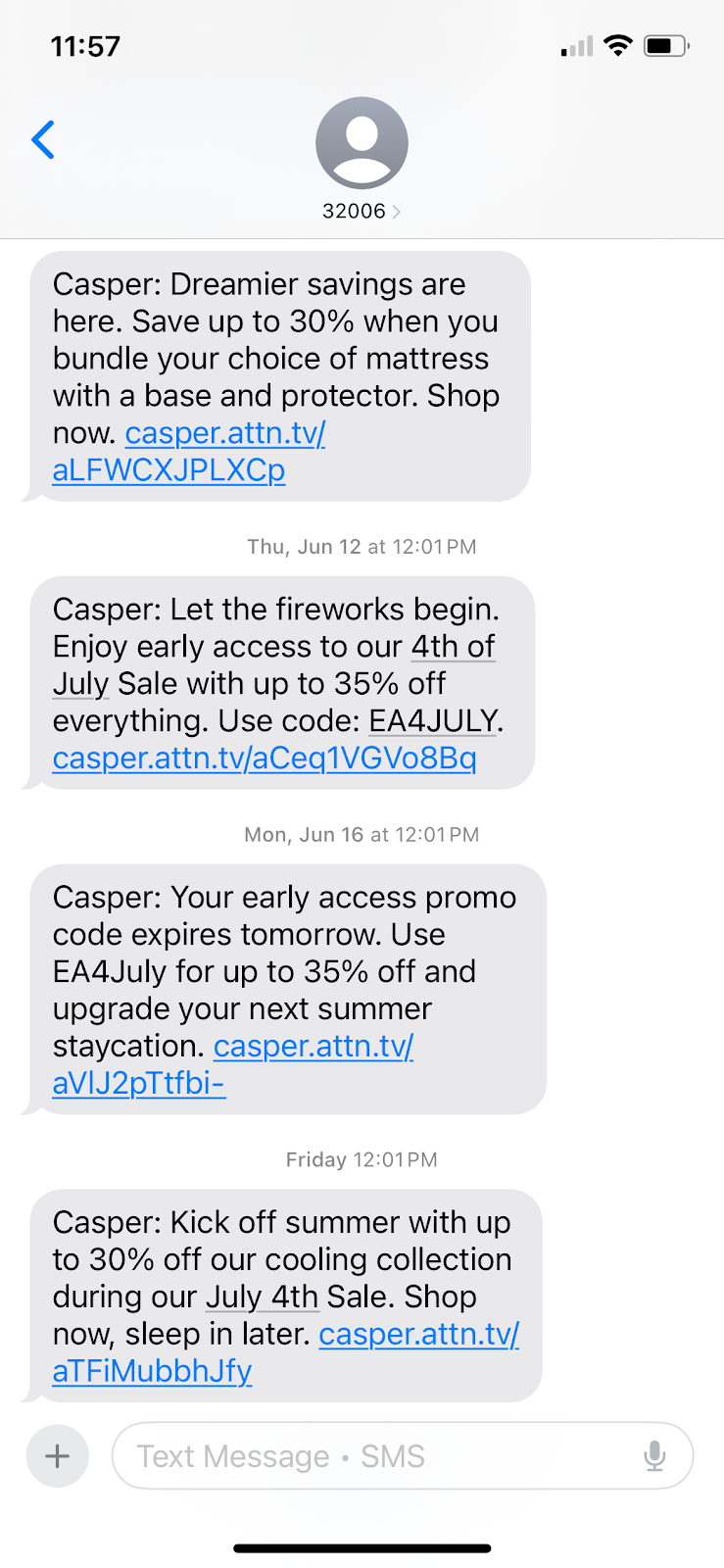
Here’s an example from mattress company Casper. The brand includes its company name at the start of every text it sends—a common way for brands to identify themselves right from the jump:
Optimize Your Message Timing
Text message timing is a bit more sensitive than email timing. Most people don’t receive email notifications straight to their phone, whereas texts alert them every time. This means you need to ensure you’re sending your text communication during times you won’t be interrupting your customers.
Many regulations even have parameters in place to ensure companies can’t bother consumers during inopportune times. For example, according to the TCPA, companies cannot send text messages between the hours of 9PM and 8AM in their local time zones.
So you need to keep timing in mind so you’re not sending messages during the wrong time frame. But you also want to optimize your timing to improve the chances that your customers will take action after reading your messages.
If you look back at our example from Casper, you can see that the brand sends its text messages at 12:01PM like clockwork. Try to find a time between 10AM and 5-6PM that seems to work for your brand.
Don’t Text Too Often
If you send too many text messages, you’re going to have an extremely high opt-out rate. Analysis from SMS marketing platform Attentive shows that sending more than 10-15 messages per month can make your opt-out rate skyrocket.
This is different from email marketing, where some industries send daily emails. Instead, you want to max out at 1-2 text messages per week, sometimes going as infrequent as 2-4 texts per month.
Send More Than Just Promotional Messages
Many brands use their SMS strategies just to send out discount/sale alerts, product launches, low stock reminders, and more. However, you should expand your strategy and send out more than just promotional messages.
You can use your SMS marketing communications for:
Promoting events
Sharing details about your loyalty program
Sending people to educational content on your website
Look at this example from baby formula brand Enfamil. The company sends out plenty of promotional messages, while balancing out their communication with educational content, too:
Finish With a Call to Action
What action do you want your text recipients to take? Make it clear by ending your messages with a call to action (CTA). This can be a simple “Shop now,” or “Learn more.”
Take a look at how organic baby brand Snuggle Me adds a call to action at the end of each of its messages, making it easy for the recipient to take the exact desired action:
Ensure Your Website is Mobile-Friendly
If you’re using SMS marketing to send people to your website, they’re almost always going to be clicking to your site using their mobile device. If your website isn’t mobile -friendly, you’re essentially losing customers as soon as they click, making your SMS efforts completely obsolete.
If you’re going to use SMS marketing, your website needs to be mobile friendly so customers can click your links, shop around, and check out all via their mobile devices.
Make it Easy to Opt Out
Just like with email, you don’t want your customers to have to jump through hoops to unsubscribe. They’ll get frustrated if they can’t easily figure out how to opt out from receiving texts from your brand.
Take a look back at our example from Snuggle Me. Every single text ends with “Text stop to stop.” Enfamil ends theirs with “Text STOP to cancel.”
Use a similar strategy to make sure your recipients know exactly what to do if they decide they’re not interested in hearing from your business anymore.
7 Easy-to-Use SMS Marketing Tools
If you want to launch your own SMS marketing strategy, you need the right tool to help. These SMS marketing tools are perfect for creating, sending, and analyzing your text campaigns.
Textedly
Textedly is a great SMS marketing platform for businesses looking to send out mass marketing messages, as well as have 1:1 conversations with their customers. Send out your marketing texts while also reaching customers directly to send appointment reminders, ask for reviews, and more.
Pricing: Free for your first 50 text messages. Paid plans start at $26/month for up to 600 monthly messages.
Attentive
Attentive is a great tool for businesses looking to combine their SMS and email strategies as you can send both types of communication using this platform. It also offers RCS messaging, which is a more modern version of messaging that incorporates additional features from platforms like iMessage and WhatsApp.
Pricing: Request a demo to get pricing information.
Twilio
Twilio is a customer engagement software that makes it possible for businesses to connect with their audience via platforms like SMS messaging, email communication, voice chat, and video. This is a great way for your brand to build an omnichannel experience seamlessly through just a single tool.
Pricing: Pricing varies based on the types of communication you want to send out.
SimpleTexting
SimpleTexting is an SMS marketing service that lets you send out mass marketing messages or communicate one-on-one with your customers. If you want to offer text message customer service so your audience can reach you directly via their mobile phones, this is the perfect platform to get started with.
Pricing: Plans start at $39/month for 500 messages/month.
Textmagic
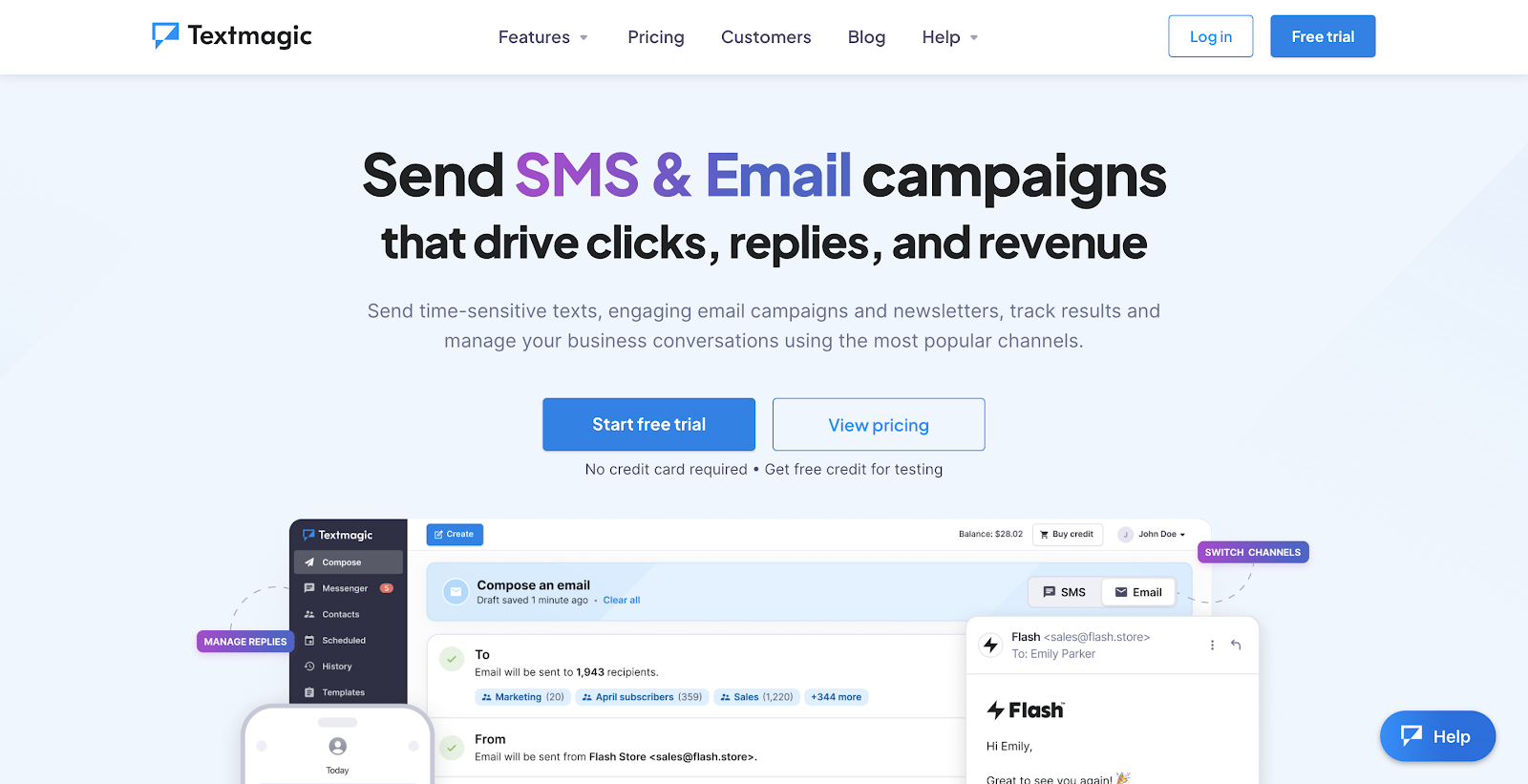
Textmagic is another platform that makes it easy to send both SMS and email communication from one seamless dashboard. Create interconnected campaigns to promote your business and analyze your results in the Textmagic interface.
Pricing: Plans vary based on your usage. For example, for just 500 texts and 500 emails/month, you’ll pay just $37.50/month. It’ll go up from there, based on how many messages you’re sending so you’re never paying for messages you don’t need.
SlickText
SlickText makes it easy to send comprehensive SMS marketing campaigns, letting you put together one-off messages, create automated workflows based on how customers respond to your promotions, and segment out your audience to personalize your messaging.
Pricing: Plans start at $29/month for up to 500 monthly messages.
EZ Texting
EZ Texting is another great SMS marketing platform that enables brands to send mass marketing messages, hold one-on-one conversations, create text automations, and more. With EZ Texting, you can even get access to AI tools that help you compose texts so your brainstorming and content creation process is jumpstarted for you.
Pricing: Plans start at $20/month for up to 500 contacts.
FAQs
What is SMS marketing?
SMS, or short messaging services, refers to using text messages to communicate with leads or customers. Brands can share promotions, news, shipping updates, and more.
Does SMS marketing annoy customers?
If you don’t use them correctly, SMS marketing can definitely backfire and annoy your customers. Make sure to ask permission, make it easy for consumers to opt-out, and only send specific or time-sensitive messages — such as a sale.
Is SMS marketing expensive?
No, it’s often much cheaper than other types of marketing like paid ads because each message usually only costs a few cents each to send.
Why should I use SMS marketing?
SMS marketing is cost-effective, easy to deploy, and incredibly effective because messages are delivered directly to users’ phones.
Is SMS marketing effective?
Yes, when it’s done right. People open texts faster than emails, and they’re way more likely to read them. SMS has higher engagement, lower competition, and quicker results. If your list is opted-in and your timing’s smart, SMS can drive real revenue.
Get Started With SMS Marketing
SMS marketing is a key strategy for communicating with your customers in a quick and easy way. Share sales, discounts, launches, educational content, and more in a digestible format that your audience will receive almost instantly. If you want to implement even more great ways to reach your audience, I’ve also created a full guide to email marketing you won’t want to miss.
http://dubadosolutions.com/wp-content/uploads/2017/05/dubado-logo-1.png00http://dubadosolutions.com/wp-content/uploads/2017/05/dubado-logo-1.png2025-07-26 19:00:002025-07-26 19:00:00SMS Marketing: What It Is + Top Tips & Tools
If you don’t know how much it costs to acquire a customer, you’re flying blind. And if you do know, but you’re paying too much, you’re in trouble.
The simple fact is, scaling a business without understanding your customer acquisition cost (CAC) is like trying to fill a leaky bucket.
This post will break down what CAC is, how to calculate it the right way, and how to reduce CAC without killing your growth.
Key Takeaways
Customer acquisition cost should account for so much more than ad spend. When you’re only tracking ad spend, you’re missing the bigger picture of what it truly costs to win a customer.
A healthy CAC marketing strategy balances cost efficiency with long-term value. Alongside CAC, you should also consider LTV and payback period. These combined will tell you more about your success than CAC alone.
An increasing CAC isn’t always a bad sign. Use this time to evaluate your funnel, but also consider that this increased cost may contribute to increased value.
You don’t need to kill growth to reduce CAC. Start with what’s already working: optimize your website, lean into organic, and automatic where possible.
Your happiest customers are your best way of reducing CAC. Invest in keeping them because their LTV will not only reduce your CAC but it may bring in additional leads.
What is Customer Acquisition Cost (CAC)?
Customer acquisition cost (CAC) refers to the total expense incurred in acquiring a new customer.
Here’s the basic formula:
CAC = (Total Sales and Marketing Costs) / Number of New Customers Acquired
Sounds simple, but here’s where most people mess it up: they only include ad spend.
You also need to include expenses such as:
Ad spend
Content creation (blog writers, video editors)
Marketing tools and software
Team salaries
Free trials, discounts, onboarding costs
Sales commissions and tools
Sales travel and events
Example: You spend $25,000 and land 500 customers. That’s a CAC of $50.
Why CAC Matters More Than You Think
If you don’t have a handle on your CAC, you’re probably wasting money. Even worse? You might think you’re profitable when you’re not.
It’s not just about how much you spend, but whether you’re spending it efficiently.
The straight CAC calculation above isn’t the only one that matters, though. You should also consider the following metrics as part of your overall marketing strategy:
Lifetime Value (LTV) to Customer Acquisition Cost (CAC) ratio: You want at least a 3:1. That means for every $1 you spend, you make $3.
CAC payback period: How long until you break even on a customer? The shorter, the better.
Channel-specific CAC: Know your per-channel numbers. SEO CAC might be $20, but paid social CAC could be $100.
What’s a Good CAC? A Look at Industry Benchmarks
A “good” CAC depends heavily on your industry, pricing model, and the length of time your customers stay. But having ballpark figures can help you understand how your acquisition costs stack up.
More important than how you compare to others in your industry is how you compare to yourself.
A low CAC doesn’t always mean you’re doing great, but one that is steadily decreasing while other metrics grow or remain steady (like revenue, orders, etc) is a step in the right direction.
How to Calculate Your Real CAC
You can’t fix what you can’t measure. And most businesses underestimate their CAC because they forget to include the full picture.
Here’s what you need to add up:
Ad spend (across all channels)
Content creation and creatives (even for organic content)
Marketing and sales tools
Team salaries (and commissions) and benefits
Discounts and returns
Agency fees or freelancers
Any customer onboarding or support costs
Example: If the above costs $80,000 and you receive 1,000 new customers, your CAC is $80.
Now, what if you have a subscription model?
In subscription-based businesses like SaaS, CAC should be spread over the average customer lifetime. For example, if your CAC is $300 and your average customer stays for 15 months, you’re paying $20 per month for each customer.
This helps align acquisition costs with the recurring revenue they generate and gives you a clearer view of profitability over time.
Top Mistakes That Drive CAC Through the Roof
Here’s what I see killing CAC marketing strategy time and time again:
Ignoring team and tool costs: Your tools and salaries count.
Living off paid ads: Paid channels get expensive fast. Branch out into organic marketing.
Chasing volume over quality: If customers churn fast, your CAC increases.
No attribution strategy: Without solid tracking, you over-invest in what looks good but doesn’t convert.
Short-term promotions: They boost conversions but often attract low-LTV customers.
Fix these, and your CAC will drop. Fast.
Multi-Touch Attribution for Smarter CAC Tracking
While I mentioned attribution strategy above, it deserves its own section. Why? The attribution model you use can make or break your CAC tracking.
Modern buyers interact with multiple touchpoints before making a purchase. If you rely on first-click or last-click attribution, you’re missing out on valuable information.
That’s why multi-touch attribution is the best approach.
With multi-touch attribution, you distribute credit across every interaction.
For example, imagine a customer who first clicked on a Google ad, then read your blog, and finally converted via an email promo.
With first-touch, you’re giving all the credit to Google, which can result in costly increases to your ad budget. With last-touch, you’re giving all the credit to email, which can result in a failure to support other avenues (like your blog).
Multi-touch attribution enables you to assign a portion of the CAC to each of those channels, providing a clearer understanding of what’s truly effective.
Here’s how it helps reduce CAC:
Allocating spend intelligently. See which touchpoints drive conversions (so you can invest more) and which are merely noise (so you can reduce spend).
Forecasting smarter. Use historical multi-touch data to estimate the true cost of new customer acquisition.
Aligning teams. When sales and marketing see that both of their teams contributed to a conversion, it improves alignment and resource sharing.
Multi-touch attribution makes for more accurate CAC, which makes for smarter decisions.
How to Lower Customer Acquisition Cost Without Killing Growth
Let’s talk solutions. Here’s how to lower your CAC and still scale like a champ.
Dial in Your Website and Funnel
Your website is your best salesperson, so make sure it’s optimized to convert.
Consider the following changes that can have a big impact:
A/B test headlines, calls to action, images, and offers
Improve site speed
Remove friction from the checkout or sign-up flow
Minimize form fields and unnecessary steps
Also consider incorporating referrals and similar customer acquisition strategies into your funnel.
Dropbox is a notable example of this, achieving a 3,900% growth rate in just 15 months.
Their “give and get storage” model rewarded current users and their invitees with 500MB each of additional storage. Referral links were integrated directly into onboarding, and the system provided transparent tracking so users saw their progress.
This virtually zero marketing cost strategy made this campaign all the more successful and led to decreased CAC while driving explosive growth.
Go Big on Organic
If you focus only on paid channels, you could be unnecessarily bloating your CAC. Organic marketing can naturally decrease CAC by driving more customers will significantly less cost than paid channels.
How?
Create SEO-driven blog content that solves your customers’ problems
Repurpose blog content into videos and short-form social posts
Stay active on platforms where your audience actually hangs out
Lean into user-generated content (UGC) and word-of-mouth marketing
Don’t forget email, too. Automated drip campaigns keep leads warm and buyers engaged long after the first click.
Retention as an Acquisition Strategy
Keeping customers is often more cost-effective than acquiring new ones.
Take Glossier as an example. In a 2018 interview, the founder stated that repeat purchasers drove over 50% of revenue. That, combined with their customer-led growth strategy, has turned Glossier into the cosmetic powerhouse it is today.
If you want to lower your CAC by nurturing existing relationships, focus on:
Onboarding experience: Drive early wins and product adoption with an exemplary onboarding experience.
Referral programs: Reward your customers for sharing your product/service and generating warm leads.
Loyalty perks: Identify which loyalty perks your customers appreciate (such as discount codes or free products) and use them to encourage repeat business.
Remember, happy customers are your best marketers. This retention approach won’t only lower CAC, but it will also boost LTV.
Get Smart With Paid Ads
Organic marketing is important, but paid ads aren’t the enemy. A bad ad strategy is, though. Here’s how to tighten up your strategy for improved CAC:
Refine targeting and use lookalike audiences built from high-value customers
Optimize for return on ad spend (ROAS), not just impressions
Test lower-lost platforms (like Pinterested and Reddit)
A/B test your campaigns, including headlines and creative
The greatest tip of all: be ruthless with underperforming campaigns. Pause, tweak, or cut them fast so your ad campaign doesn’t quickly devolve into a money pit.
Automate and Streamline
How much time and money are you spending on manual processes? Automate as much as you can to lower CAC and reduce friction.
Here’s how:
Automate onboarding emails and customer education series
Use AI to personalize offers and predict behavior
Align sales and marketing teams with shared CRM workflows
Efficiency means a lower CAC. It’s that simple.
Tools to Help You Track and Optimize CAC
You don’t have to do this alone. There are various tools available to support your CAC optimization journey.
Monitor User Journeys: GA4
GA4 helps you understand exactly how users move through your site.
From first click to conversion, you can identify drop-off points and optimize touchpoints that matter most.
Track Attribution: Northbeam
Northbeam provides multi-touch attribution, showing which channels and campaigns drive conversions.
No more guessing which ad gets the credit.
Make Smarter SEO Decisions: Ubersuggest
Lowering your CAC starts with attracting the right traffic. That’s where Ubersuggest comes in.
Ubersuggest can help you identify high-intent, low-competition keywords your ideal customers are already searching for. By targeting those terms, you can drive more organic traffic without paying for every click.
With Ubersuggest, you can spend less time on acquisition and get more qualified leads in the door.
Automate CRM: HubSpot
HubSpot streamlines customer management with automated workflows, lead nurturing, and pipeline tracking.
Automate Email Sequences: Klaviyo
Klaviyo makes email marketing smarter with data-driven automations that respond to customer behavior. These keep engagement high and CAC low.
Visualize Customer Drop-Off: Crazy Egg
Crazy Egg shows you where users click, scroll, and drop off on your site. Use heatmaps and session recordings to quickly resolve friction.
FAQs
What is customer acquisition cost?
CAC is the cost of convincing a potential customer to buy a product or service. It includes everything you do to attract a new customer, like your advertising, the staff you employ, and your tools.
How do I calculate customer acquisition cost?
Take your total expenses spent on acquiring customers over a specific time and divide it by the number of customers you gained in that same time.
How do you lower customer acquisition cost?
Start by fixing your funnel. If your site’s clunky or confusing, you’re paying to lose people. Then, build out organic channels like SEO, email, and referrals, which scale without burning cash. Use multi-touch attribution to track what’s actually working, and cut what’s not. Automate where it saves time, and keep your best customers happy so they’ll do your marketing for you.
Conclusion
Customer acquisition cost is a reflection of how well your business turns effort into growth.
If it’s too high, don’t panic. Instead, get curious.
Where’s the waste? Where’s the friction? Start small: optimize your funnel, test organic channels, and automate what you can.
The goal isn’t to spend less, but to spend smarter. So measure often, adjust quickly, and remember that your best customers often bring the next ones with them.
http://dubadosolutions.com/wp-content/uploads/2017/05/dubado-logo-1.png00http://dubadosolutions.com/wp-content/uploads/2017/05/dubado-logo-1.png2025-07-25 19:00:002025-07-25 19:00:00The Real Cost of Customer Acquisition (And How to Cut It)
You want more customers, and you’re ready to advertise your business.
But how should you do it?
There’s Google Ads. Instagram. Flyers. Billboards. TikTok. And dozens of other online and offline options.
Some deliver better results than others:
But that doesn’t mean they’ll work for you:
You have to find the right channels for your business, not just the ones that are popular.
At the agencies I’ve worked with, I’d often see small businesses like auto repair shops and restaurants boost ad returns by 50-200% — just by switching to better-fit channels.
In this guide, I’ll help you pinpoint the winning channels for your business — the ones that can unlock real revenue potential.
I’ll go through it step by step in three phases, covering:
How to choose the right channels
How to set up winning campaigns
How to measure your results (and what to do with the data)
And I’ll show you exactly how I’d do it if I had a starting budget of $500.
Note: Want a quick list of ad ideas? Grab this free sheet with 30 ways to promote your business.
Phase 1: Choose the Right Channels to Advertise On
There are dozens of channels you can use to advertise your business.
But unless you have a lot of time and budget, you can’t be everywhere.
In this phase, we’ll find out which ones are actually worth testing for your business.
I’ll use a local furniture store as a running example. But you can follow the same steps no matter what you sell.
Let’s start with the step most people skip:
Step 0: Should You Even Invest Money in Paid Ads?
If you’re short on time and want results fast, paid ads can absolutely work.
But that doesn’t mean they’re the best move right now.
Think of it like this:
Paid ads = renting attention. You pay, you get traffic. Stop paying, the traffic stops too.
Organic marketing = earning attention. It takes longer, but the traffic builds over time (and keeps going even when you stop).
Ideally, you’d do both.
Paid gets you quick wins, while organic builds trust and visibility in the long run.
But when you’re working with limited time and budget, you’ll need to choose:
Want calls, sales, or visits this week? Paid ads are your fastest bet.
Want to build long-term traffic without spending monthly? Start with organic.
If you’re ready to move forward with ads, let’s lock in your #1 goal.
Step 1: Pick One Result You Want from Your Ad
You can’t run effective ad campaigns until you know what you want it to achieve.
Your goal decides everything, from where you advertise to what your ad looks like.
One goal = one outcome = one high-converting ad.
Not “get more attention.”
Not “build awareness.”
We’re talking actual business outcomes, like:
Phone calls
Website visits
DMs
Online orders
Store walk-ins
Form submissions
Can ads do more than one thing? Sure.
But when you’re starting out, trying to get five outcomes with one campaign just spreads your budget thin and hurts your ROI.
So pick one.
Ask yourself: “When someone sees my ad, what’s the one action I want them to take?”
Let’s say I run a local furniture store. I’m not trying to sell sofas online, I just want people to visit the showroom.
That’s my goal, and everything in the ad should lead there.
Make yours just as clear (and measurable).
Pro tip: Use the SMART framework to help you choose the right goal.
Step 2: Find Out How Your Last 20-30 Customers Found You
Before you spend a dollar, look at how your last 20-30 customers found you.
Because chances are, your next customers will come from the same places.
Here’s how to do it:
Think back to recent calls, emails, or walk-ins
Skim your DMs or contact form entries
Ask your team: “Where did that lead come from?”
You’re looking for repeat mentions, or anything that stands out.
For example:
If 12 out of 30 found you on Google? That’s a sign to use Google Ads.
If multiple people say they found you on Instagram? That’s your sign to create ads on Instagram.
If you don’t have the answers yet, start collecting data now.
Ask every new lead: “How did you hear about us?”
Track the next 30 manually. Write each one down in Google Sheets or Docs.
Here’s what that might look like for my local furniture store:
Note: If you’re a brand new business with zero customers, clearly you won’t have any data yet. You can still use advertising channels, but your market research and competitor analysis (see below) will become even more important.
Step 3: Analyze How Your Top Competitors Are Advertising
Your competitors are already advertising. Which means they’ve already spent time and money figuring out what works.
So instead of guessing, reverse engineer them.
Here’s how it might look for my local furniture store:
One competitor sends weekly promo postcards. Another runs billboard ads on the freeway and has flyers at the nearby mall.
That tells me they’re spending heavily on local print and outdoor ads (and likely getting results from it).
I won’t copy them blindly. But I’ll take notes:
What channels they’re using
What offers they’re promoting
Whether they’re trying to drive foot traffic, calls, or website visits
Then I’ll go online.
I’ll start by manually checking if my competitors are running ads on major platforms.
Many ad platforms have public ad libraries you can search.
Like Google’s Ad transparency, where I can see if my competitors are running ads on Google Search, Google Shopping, and YouTube:
I can also look up their Instagram or Facebook ads in Meta’s Ad Library:
Step 4: List the Channels Your Audience Pays Attention To
Before you finalize your three channels, sanity-check them.
Just because a platform is popular doesn’t mean your audience is paying attention there.
You need to use what you know about your ideal customer’s habits to spot the right fit for your business specifically.
For instance, for my furniture store, let’s say I know that most of my buyers are homeowners in their 40s or 50s shopping for higher-ticket items.
(Ideally, you’ll have internal data to help here, but tools like Semrush can help here with their demographics feature.)
Based on that insight, they’re probably searching on Google, browsing Facebook, checking mailers, and listening to local radio. Not scrolling Snapchat or TikTok.
So I’ll cross those off my list, and I’ll focus on the ones that match how they already consume info.
How to Advertise Your Business on Instagram or Facebook
In my example, I also chose Facebook for one of my channels.
But Facebook and Instagram both use the same Meta ad platform.
So I can run one ad and show it on both platforms if I want.
Instead of targeting keywords (like Google Ads), you can reach people based on:
Location (like everyone within 10 miles of your store)
Demographics (homeowners aged 35–55)
Interests and behaviors (e.g., “interior design” or “recent movers”)
You can choose from image ads, videos, carousels, or Stories.
Meta lets you set your own budget and charges you per result (like per click, impression, or DM).
Before you run your ad, there are a few things you should understand to ensure good ROI:
What ad format matches your goal
How Facebook’s algorithm picks who sees your ad
What action you want people to take, and how to optimize for it
How to Advertise Your Business Locally with Postcards
Postcard campaigns are straightforward.
You create a physical card, choose the delivery area (like ZIP codes or neighborhoods), and send it to local homes through a provider like USPS Every Door Direct Mail or FedEx.
But to get real results, you need to understand the fundamentals:
How to target delivery routes effectively (without needing a mailing list)
What goes into pricing, including printing, postage, and quantity requirements
How early to plan your drop date so cards arrive during your promo window
How to track responses, like adding a unique offer code or asking “how did you hear about us?”
This is one of the simplest ways to advertise your business locally if you’re trying to drive foot traffic fast.
Where to Learn More
Some channels are simple. Like designing a flyer and dropping it off.
Others take more time and practice to get right. Like running Meta ads or setting up Google Ads campaigns.
You don’t need to master every feature. But you do need a handle on how your chosen channels actually work.
That way, your campaign isn’t based on guessing. It’s grounded in real data.
That’s why I’ve put together a free resource library with guides for all major channels. This will help you get up to speed with how each channel works.
When you focus on one product or service, everything gets easier — from writing the ad to measuring results.
Pick something simple, proven, and easy to sell. Ideally:
A best-seller
Something seasonal or in demand
Something customers already ask about often
Something your competitors are actively promoting
For my furniture store, I might go with loft chairs. They’re popular and high-margin.
And one of my competitors is promoting them in Google ads:
You can test other products later. But for your first campaign, keep it focused.
Step 8: Create a Clear, Time-Sensitive Offer
Even the best ad won’t work if there’s no reason to act.
That’s what your offer does. It gives people a reason to click, call, or visit now — not “later.”
Great offers are:
Easy to understand in 1-2 seconds
Focused on one product or service
Time-sensitive (like “ends soon” or “limited quantity”)
Backed by a clear benefit (like discount, free bonus, or fast delivery)
For my furniture store, I’ll offer “25% off all loft chairs until Sunday, June 22, while stock lasts.”
Like this competitor does:
It’s clear. It’s specific. And it makes people move.
A lot of small businesses don’t want to cut into their margins. That’s totally fair.
There are plenty of other ways to make your offer feel urgent, without lowering your price.
You could offer:
Free delivery (especially if competitors don’t)
A small bonus (like a free cushion or add-on service)
Priority scheduling (e.g., “Book this week for earliest delivery”)
A real deadline (something that ends or runs out, like an event or quantity)
Write down your offer clearly before you move on. This is what you’ll build your ad around.
Step 9: Define the Action You Want People to Take
Every ad needs one clear next step.
Click. Call. Visit. Book.
Not all four. Just one.
For my furniture store, I want people in my showroom.
So across Google Ads, Facebook, and postcards, the action would be the same: to get directions to my store.
One of my competitors does this with Google ads:
Whatever action you choose, make it obvious.
If you want calls, put the number up front
If you want bookings, link straight to your calendar
If you want foot traffic, use a bold address or a map pin
Step 10: Build Your Ad Content
This is where it all comes together — your channel, your offer, and your CTA.
Now you decide the ad format, write the copy, and choose (or design) the visuals.
For my furniture store, I’m running three ads across three channels: Google Search, Facebook, and postcards.
On Google, I’ll keep it tight. The ad will match what someone’s searching for. Like “recliner chairs near me.”
The headline? Something like: “20% Off Loft Chairs – This Week Only.”
The description line makes it actionable: “Visit our showroom in Queens. Free parking. Sale ends Sunday.”
No fluff. Just keywords + urgency + next step.
On Facebook, I’ll go visual. I’ll use a clean image of the actual loft chair in a styled room.
The headline might match the offer (“20% Off Loft Chairs”) and the text could highlight one feature. Like “Reclines fully, fits small spaces.”
The CTA button would be something like “Get Directions.” Like this:
For postcards, I’ll design it around simplicity.
Large product photo. Bold offer right up top. Short subtext that reinforces the benefit.
And the bottom section will show store hours, our address, and a small map.
No matter the channel, the roles of each part of your ad are the same:
Your offer is what grabs attention
Your visual or headline is what earns you that extra half-second before they scroll or toss it
Your CTA tells them exactly what to do
If anything’s vague, crowded, or trying to do too much, it gets ignored.
So before you launch, ask yourself:
Would I stop for this?
Would I click it?
Would I know what to do next?
If the answer isn’t yes within 3 seconds, it’s not ready yet.
But if it is ready, it’s now time to work out how to get the most out of your ad budget.
Step 11: Allocate Your $500 Budget Across the 3 Channels
Not every advertising channel costs the same to get results. And not every channel works the same way.
That’s why you don’t want to split your $500 evenly.
Instead, think through each channel using three simple questions:
How much does it cost to show up on this channel?
How likely is this channel to drive your goal?
What’s the minimum budget I need to test it properly?
Let’s walk through my setup.
For my ads on three channels, here’s how I’d split the budget:
Google Ads: $250
People are literally searching for what I sell. So the intent is high — and I want to show up.
But clicks cost more here.
$1.11 is the average cost per click for a keyword like “buy lounge chair.”
Just to give you a sense of scale:
If I spend $250 at $1.11 per click, I’ll get roughly 225 clicks. (This is an estimate. CPC is an average, not a fixed price per click.)
And if just 5% of those people visit the showroom, that’s 11 visits.
That’s why I’m putting the biggest share of my budget here.
It costs more to show up, but the intent is also higher. And that makes it worth testing.
Facebook Ads: $130-$150
I can reach local homeowners for less on Facebook than I can on Google Ads.
These ads aren’t as targeted by intent, but they’re great for visuals and awareness.
I’ll test a couple of versions to see what lands.
Postcards: $100-$120
These have a flat cost with no bidding to worry about.
I’ll send around 500 cards to homes near the store and track if anyone brings one in.
This will cost me approximately $115 to print at FedEx.
Will this split be perfect? No.
But that’s not the point.
You’re not trying to get every dollar “right.”
You’re testing to see which channel shows real promise. Then you can double down in the next round with more data, more confidence, and better returns.
Step 12: Launch All Ads Within the Same 1-2 Day Window
You’ve built the ads. You’ve set your budget.
Now it’s time to launch.
And when you do, launch everything at once.
Here’s why:
If your Google ads go live on Monday, your Facebook ads on Wednesday, and postcards land the week after, that’s three different tests. You won’t know what’s working and what’s just a matter of timing.
Launching all campaigns within the same 1-2 day window gives you a clean read.
Same market. Same conditions. Real signals.
That means:
Hit “publish” on your digital ads
Confirm your start dates on each platform
Submit postcards for mailing (or schedule the drop if you’re batching it)
And once they’re live, don’t touch anything.
No tweaking. No pausing. No panic edits.
You’ll optimize later.
In the next phase, you’ll learn how to track the results and double down on what’s working.
Note: Setting up and launching your first ad campaign takes time.
It has a steep learning curve and can feel overwhelming.
Here are a few things that’ll make it easier:
Check our resource library, where we’ve curated useful links for various ad channels to help you learn how to maximize your budget
Hire freelancers from platforms like Upwork or Fiverr for setup or design help
This phase is simple: Check your results, keep what worked, and fix or cut what didn’t.
Over the next few steps, you’ll learn how to track, compare, improve, and reallocate budget across your three channels.
This will help ensure your next ad campaign achieves better ROI (and avoid you wasting money).
Step 13: Track One Clear Result per Channel Over 14 Days
Don’t try to measure everything.
Just focus on the one action you wanted each ad to drive.
For my furniture store, here’s what I’m tracking:
Google search ads: How many people clicked “Get Directions”
Facebook ads: How many tapped the CTA or sent a message
Postcards: How many walked in with their card and/or mentioned the offer
Log your results in a simple spreadsheet, and check once a day for 14 days.
Two weeks should give your ads enough time to generate meaningful data for this small $500 budget.
Here’s how my spreadsheet might look:
Ad platforms generally provide detailed campaign reports that show metrics like clicks, impressions, cost, and more.
Like Google Ads:
And Facebook:
If you’re running offline ads, they’re harder to measure.
But here’s what I’ve seen work:
Add a promo code they need to show in-store
Ask every customer how they heard about your business
Use a unique phone number or custom page link for each flyer or postcard
You don’t need a fancy tool — just a clear record of what happened.
Because you’ll need that data to figure out what paid off, and what didn’t.
We’ll get into that next.
Step 14: Compare Results to Cost
You’ve seen what happened. Now it’s time to make sense of it.
Ask this question: Was this ad worth my money?
Let’s say, for my furniture store:
Google search ads brought in about 11 showroom visits (from 75 clicks)
Facebook ads brought four (from 48 DMs)
Postcards yielded 8 walk-ins
Let’s say 10 of those visits turned into customers, and each sale averaged $350.
That’s around $3,500 in revenue from a $500 budget.
If I have a 30% profit margin, that’s $1,050 in profit.
This isn’t deep analytics.
It’s a simple check to understand your ROI.
Later, as you test more channels and scale up your spend, you’ll want better tracking systems. But for your first campaign, this level of insight is enough.
Next, we’ll figure out why certain channels didn’t perform and what to do about them.
Step 15: Diagnose What Didn’t Work (and Fix It)
Some ads hit. Some didn’t. That’s normal.
The important part is knowing why.
Because a low-performing channel doesn’t always mean it was the wrong channel.
It might just mean the message was off. Or the audience was too broad. Or the offer didn’t land.
In my experience working with clients, there are four main reasons an ad doesn’t perform:
Wrong channel: It simply wasn’t built to drive the result you wanted
Weak targeting: The right message reached the wrong people
Low-impact creative: The ad didn’t stop the scroll or earn attention
Flat offer: The incentive wasn’t strong or urgent enough to act on
Go back to your underperforming ads and assess them against these factors. Write down where the breakdown likely happened.
And don’t just look at what failed: do the same for what worked.
For my Google Search ads, here’s what likely helped:
The offer matched exactly what people were searching for
The copy was short, specific, and action-focused
The CTA (“Get Directions”) matched the goal: showroom visits
For my postcards campaign, here’s what may have held it back:
I didn’t promote the right product
The headline didn’t stand out enough
The design felt too busy for a quick glance
It arrived too early and lost its urgency by the time the sale started
Don’t guess. Use your campaign data to spot friction and fix it before the next round.
Step 16: Plan Sprint 2 with Smarter Inputs
Your sprint 1 campaign is done. Now it’s time to level up.
You’ve seen what worked. You’ve seen what didn’t.
Here’s what you’ll typically do in the second sprint:
Finalize your channels, keeping what worked, and replacing what flopped.
Set a new, slightly bigger budget, and allocate it accordingly
Refine or upgrade your offer (e.g., stronger incentive, tighter deadline)
Create fresh creatives for each channel
Lock in your next 1-2 day launch window
Track results like before
In my case, for my next cycle, I’ll:
Double Google Ads spending (most visits, clean way to track ROI)
Rework the Facebook ad entirely (lots of clicks, poor conversion rate)
Replace postcards with flyers (cheaper, easier to test)
And I’m going to increase my budget to $1,000. Because now I know what works, I’m comfortable putting in more.
Eventually, as every subsequent sprint improves based on data, we’ll optimize our ads even further.
And with that, our ROI will go up.
Launch Your First Ad Campaign
How you advertise your small business comes down to three things:
Knowing how each ad channel works
Having practical ways to promote your product or service
Following a clear, step-by-step roadmap
To make things easier for you, we’ve put together a downloadable worksheet that includes:
A resource library to learn the top ad channels
A list of real ways to promote your business across different channels
http://dubadosolutions.com/wp-content/uploads/2017/05/dubado-logo-1.png00http://dubadosolutions.com/wp-content/uploads/2017/05/dubado-logo-1.png2025-07-25 13:48:412025-07-25 13:48:41How to Advertise Your Business with a $500 Budget